Spec Kit + Ralph Loop: Solving AI Context Exhaustion in Large Features
Published on January 18, 2026 by Dominic Böttger (6 months ago) · 28 min read
AI coding assistants have fundamentally changed how we build software. Tools like Claude Code can write entire functions, debug complex issues, and refactor codebases with remarkable accuracy. But there’s a catch that everyone who has used these tools extensively has encountered: context exhaustion.
Note: AI-assisted development is evolving rapidly. This article represents my personal view and a snapshot of how I’m currently experimenting with these workflows. The landscape may look different in a few months. I’m building on the work of others—specifically the Ralph Wiggum methodology by Geoffrey Huntley, Spec Kit by GitHub, and paddo’s excellent writeup on Ralph Wiggum autonomous loops. In my own workflow, I typically start by writing an architecture document combined with a “pin” where I collect all relevant information and decisions upfront—this then serves as the foundation for Spec Kit.
This article is a deep dive into the problem, two methodologies that address different aspects of it, and how combining them creates something greater than the sum of its parts. If you’re building features with 50+ tasks or running AI-assisted development overnight, this approach might change how you work.
Part 1: Understanding the Problem
What Is Context Exhaustion?
Every AI model has a context window—the amount of text it can “see” at once. For Claude, this is currently around 200,000 tokens (roughly 150,000 words). That sounds like a lot, and for most conversations, it is. But during software development, context fills up fast:
- Your prompt and instructions: 2,000-5,000 tokens
- Each file you read: 500-5,000 tokens per file
- Tool outputs (grep results, test output, etc.): 1,000-10,000 tokens each
- The AI’s own responses: 500-3,000 tokens per response
- Error messages and debugging: 500-2,000 tokens per issue
In a typical development session, you might read 20 files, run 10 commands, and have 30 back-and-forth exchanges. That’s easily 100,000+ tokens consumed—half your context window gone before you’ve written much code.
Why Context Exhaustion Breaks AI Development
When the context window fills up, the AI doesn’t just stop working—it degrades in subtle, frustrating ways:
1. Forgotten Decisions
Early in a session, you might establish that “all API endpoints should return JSON with a data wrapper.” By task 30, the AI has “forgotten” this because those early messages have been pushed out or compressed. You start getting inconsistent API responses.
2. Repeated Mistakes You fix a bug in task 12. The same bug reappears in task 25 because the context of the fix is gone. The AI doesn’t remember learning that lesson.
3. Architectural Drift The first 10 tasks follow your established patterns perfectly. By task 40, the AI is inventing new patterns because it can’t see the examples it followed earlier. Your codebase becomes inconsistent.
4. Hallucinated State The AI starts “remembering” things that didn’t happen. It references files that don’t exist, or assumes code was written that wasn’t. This is particularly dangerous because the AI sounds confident.
5. Quality Degradation Error handling becomes sloppier. Edge cases get ignored. Tests become superficial. The AI is cognitively overloaded, juggling too much implicit state.
The Naive Solutions Don’t Work
“Just start a new session”: You lose all the context you’ve built up. The AI doesn’t know what’s been implemented, what decisions were made, or what patterns to follow. You spend 30 minutes re-explaining everything.
“Wait for larger context windows”: Even a 1 million token context window fills up eventually. And larger contexts come with their own problems: slower responses, higher costs, and the AI struggling to find relevant information in a sea of text.
“Be more concise”: There’s a limit to how much you can compress. File contents are what they are. Error messages contain necessary detail. You can’t wish away the fundamental size of the problem.
“Use RAG (Retrieval Augmented Generation)”: RAG helps the AI find relevant information, but it doesn’t solve the accumulation problem. Every retrieved document still consumes context. And RAG introduces its own failure modes—retrieving the wrong documents, missing critical context.
The real solution requires rethinking the development model itself.
Part 2: The Ralph Wiggum Methodology
Origins and Philosophy
The “Ralph Wiggum” methodology (named humorously after the Simpsons character who famously says “Me fail English? That’s unpossible!”) emerged from the AI development community as a response to context exhaustion. The core insight is counterintuitive:
Embrace amnesia. Make forgetting a feature, not a bug.
Instead of fighting against the AI’s limited memory, design a system that expects and leverages fresh starts. Each task gets a clean slate—no accumulated baggage, no forgotten context, no cognitive overload.
The Three Principles of Ralph Mode
1. Context Scarcity Mindset
Traditional development assumes persistent memory. You learn something, you remember it, you apply it later. Ralph mode assumes the opposite: every piece of context is expensive and temporary. This changes how you structure work:
- Write things down explicitly (in files, not conversation)
- Don’t rely on “the AI will remember”
- Front-load critical information in every prompt
- Minimize what needs to be remembered
2. Plan Disposability
In traditional development, plans are living documents that evolve. In Ralph mode, plans are consumed. You create a detailed task list, and each iteration reads and executes exactly one task. The plan doesn’t need to be perfect—it just needs to be good enough for the next task.
This is liberating. You don’t need to anticipate every edge case upfront. You don’t need perfect architecture diagrams. You need a list of concrete, actionable tasks that can be executed independently.
3. Backpressure Over Direction
Instead of trying to guide the AI through complex multi-step processes (which requires maintaining context), you apply backpressure: constraints that must be satisfied before proceeding.
The most important backpressure is quality gates:
- Tests must pass
- Linter must be clean
- Type checker must succeed
If the AI produces code that fails these gates, it must fix the code before moving on. You don’t need to explain how to fix it—just that it must be fixed. The AI figures out the solution with its fresh context.
How Ralph Mode Actually Works
A Ralph mode session looks like this:
┌─────────────────────────────────────────────────────────────┐
│  Orchestration Layer (bash script, persistent)              │
│                                                             │
│  while tasks_remain:                                        │
│      ├─ spawn new AI process                                │
│      ├─ pass: prompt + task list file path                  │
│      ├─ AI reads task list, executes ONE task               │
│      ├─ AI runs quality gates                               │
│      ├─ AI marks task complete in file                      │
│      ├─ AI commits changes                                  │
│      ├─ AI exits                                            │
│      └─ loop continues with next task                       │
└─────────────────────────────────────────────────────────────┘
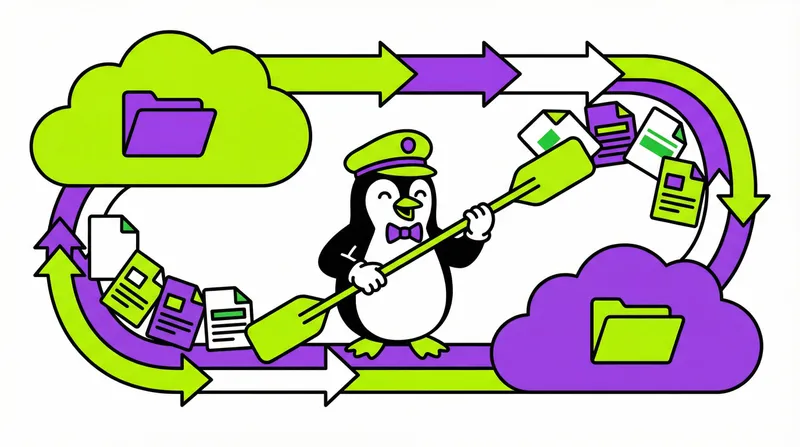
The critical detail: each AI invocation is a separate process. When you run claude -p (Claude in pipe mode), you’re starting a fresh instance with zero history. The only information it has is:
- The prompt you pipe in
- Files it chooses to read from disk
- Commands it chooses to run
There’s no shared memory between iterations. The task list file (tasks.md) is the only communication channel, and it’s just a text file with checkboxes.
Why Fresh Context Per Task Works
No Accumulation: Each task starts with 0 tokens of history. The AI reads only what it needs for the current task.
No Pollution: A messy debugging session in task 5 doesn’t affect task 6. The error messages, failed attempts, and red herrings are gone.
Consistent Quality: Task 50 gets the same cognitive resources as task 1. The AI isn’t tired or confused.
Natural Checkpointing: Every completed task is committed to git. If something goes wrong, you have a clean commit history to bisect.
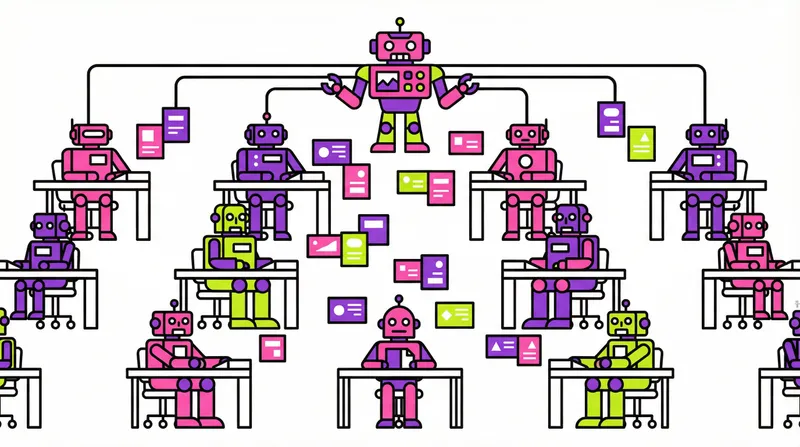
Parallelization Potential: Since tasks are independent, you could theoretically run multiple AI instances on non-conflicting tasks.
Part 3: The Spec Kit Methodology
What Is Spec Kit?
Spec Kit is a structured approach to AI-assisted development that emphasizes explicit artifacts over implicit understanding. Instead of explaining requirements conversationally, you create formal documents that persist across sessions.
The core artifacts are:
1. spec.md - The Feature Specification A detailed description of what you’re building. User stories, acceptance criteria, edge cases, constraints. This is the “what” document.
# Feature: User Authentication

## User Stories

### US-1: User Registration
As a new user, I want to create an account with email and password
so that I can access the application.

**Acceptance Criteria:**
- Email must be valid format
- Password must be 12+ characters with mixed case and numbers
- Duplicate emails are rejected with clear error message
- Successful registration sends verification email

### US-2: User Login
...
2. plan.md - The Implementation Plan Technical decisions, architecture choices, technology stack. This is the “how” document. It answers questions the AI would otherwise have to ask or guess.
# Implementation Plan

## Technology Stack
- Backend: Rust with Axum framework
- Database: PostgreSQL with sqlx
- Auth: JWT tokens with refresh rotation
- Session Storage: Redis

## Architecture Decisions

### AD-1: Password Hashing
Use Argon2id with these parameters:
- Memory: 64MB
- Iterations: 3
- Parallelism: 4

Rationale: OWASP recommendation for 2024+

### AD-2: Token Structure
...
3. tasks.md - The Task Breakdown Granular, actionable items that can be completed independently. Each task should be completable in one AI session without referencing other tasks.
# Tasks

## Phase 1: Database Setup
- [ ] T001: Create users table migration with email, password_hash, created_at
- [ ] T002: Create sessions table migration with user_id, token, expires_at
- [ ] T003: Add indexes for email lookups and session token lookups

## Phase 2: Core Authentication
- [ ] T004: Implement password hashing service with Argon2id
- [ ] T005: Implement JWT token generation and validation
- [ ] T006: Create registration endpoint POST /api/auth/register
...
4. constitution.md - Project Principles Non-negotiable rules that apply across all features. Coding standards, security requirements, architectural constraints.
# Project Constitution

## Security Principles
- All user input must be validated at API boundary
- SQL queries must use parameterized statements (no string interpolation)
- Passwords are never logged, even in debug mode

## Code Style
- Rust: Follow clippy lints with -D warnings
- Error handling: Use thiserror for library errors, anyhow for application errors
- All public functions must have doc comments
Why Explicit Artifacts Matter
1. Persistence Across Sessions When you start a new AI session, you don’t explain everything from scratch. You say “read spec.md and plan.md” and the AI has full context in seconds.
2. Consistency Across Tasks Task 47 can reference the same plan.md as task 1. Architectural decisions don’t drift because they’re written down, not remembered.
3. Human Review Points Before implementation starts, you can review spec.md with stakeholders and plan.md with your team. Mistakes caught here are cheap to fix.
4. Documentation as Side Effect When the feature is complete, you have documentation. The spec explains what was built, the plan explains why decisions were made, and the task list shows the implementation order.
5. Reproducibility A year later, you can understand the feature by reading these files. You don’t need to reconstruct decisions from commit messages or tribal knowledge.
The Spec Kit Workflow
1. /speckit.specify
   └─ Interactive conversation to create spec.md

2. /speckit.plan
   └─ AI analyzes spec + codebase, creates plan.md

3. /speckit.tasks
   └─ AI breaks plan into granular tasks.md

4. /speckit.implement
   └─ AI executes tasks in a single session
This workflow is excellent for small-to-medium features (under 20 tasks). The structured artifacts mean each step builds on the previous one with explicit context.
But for large features, step 4 hits the context exhaustion problem. A 50-task feature will exhaust context before completion.
Part 4: Why Spec Kit + Ralph Mode Is Powerful
The Synergy
Spec Kit solves the planning problem: how do you give an AI enough context to make good decisions without lengthy conversations?
Ralph mode solves the execution problem: how do you implement a large feature without context exhaustion?
Together, they create a complete system:
┌─────────────────────────────────────────────────────────────┐
│                    SPEC KIT                                 │
│  ┌─────────┐   ┌─────────┐   ┌─────────┐   ┌─────────┐     │
│  │ Specify │ → │  Plan   │ → │  Tasks  │ → │   ???   │     │
│  └─────────┘   └─────────┘   └─────────┘   └─────────┘     │
│       ↓             ↓             ↓                         │
│   spec.md      plan.md      tasks.md                        │
└─────────────────────────────────────────────────────────────┘
                                   │
                                   ▼
┌─────────────────────────────────────────────────────────────┐
│                    RALPH LOOP                               │
│                                                             │
│   ┌─────────┐   ┌─────────┐   ┌─────────┐                  │
│   │ Task 1  │ → │ Task 2  │ → │ Task 3  │ → ...            │
│   │ (fresh) │   │ (fresh) │   │ (fresh) │                  │
│   └─────────┘   └─────────┘   └─────────┘                  │
│        ↓             ↓             ↓                        │
│    commit 1      commit 2      commit 3                     │
└─────────────────────────────────────────────────────────────┘
The Spec Kit artifacts become the coordination layer for Ralph mode:
spec.mdtells each fresh AI instance what is being builtplan.mdtells each fresh AI instance how to build ittasks.mdtells each fresh AI instance what to do nextconstitution.mdtells each fresh AI instance what rules to follow
Each iteration can load exactly the context it needs—no more, no less.
What Makes This Combination Special
1. Scalability 20 tasks or 200 tasks—the approach works the same. Context never accumulates because each task is independent.
2. Reliability No cognitive drift. Task 150 follows the same patterns as task 1 because both read from the same plan.md.
3. Recoverability Interrupted at task 47? Just restart. The loop reads tasks.md, finds the first incomplete task, and continues.
4. Observability Every task produces a commit. You can see exactly what changed, when, and in what order.
5. Controllability Don’t like how task 23 was implemented? Revert that commit, modify the task description, and re-run. The subsequent tasks don’t need to change.
6. Cost Efficiency Fresh context means smaller prompts. You’re not paying tokens for accumulated garbage. Each iteration uses only the tokens it needs.
The Philosophical Shift
Traditional AI development treats the AI as a collaborator—you have a conversation, build shared understanding, and work together over time.
Spec Kit + Ralph mode treats the AI as a contractor—you provide detailed specifications, clear task definitions, and quality criteria. The AI executes. Then a new contractor arrives for the next task with the same specifications.
This shift has profound implications:
- Investment in specs pays off: Every minute spent clarifying spec.md saves hours of debugging context confusion
- Tasks must be self-contained: If a task requires understanding task N-1’s implementation, it’s too coupled
- Quality gates are non-negotiable: The contractor can’t explain “why this is actually fine”—the tests pass or they don’t
Part 5: My Implementation
After understanding why this combination makes sense, I built a concrete implementation for my projects. Here’s how it works.
The Prompt Template
The heart of the system is a minimal prompt template (.specify/.ralph-prompt.template.md) that each iteration receives:
# Ralph Build Mode - Spec Kit Integration

Execute **one task** from tasks.md per iteration. Each iteration runs with FRESH CONTEXT.

> **Note:** Batching happens at planning time via composite tasks in tasks.md, not at runtime.

## Phase 0: Orient

0a. **Read tasks.md** - Find the first incomplete task (`- [ ]`)

0b. **Determine task complexity:**

| Task Type | Context Loading |
|-----------|-----------------|
| Config/scaffolding | Skip architecture deep-dive, just implement |
| Feature work | Read relevant spec.md section + related source files |
| Complex logic | Full architecture review (spec.md, plan.md, constitution.md) |

0c. **Verify not already done** - Search codebase for existing implementation

## Phase 1: Implement

1. Implement the task completely
2. Keep changes minimal and focused
3. Use existing utilities rather than creating new abstractions

## Phase 2: Validate (Backpressure)

Run quality gates - **MUST pass before proceeding:**

{QUALITY_GATES}

If validation fails:
- Fix immediately
- Re-run validation
- Do NOT mark complete until gates pass

## Phase 3: Update & Commit

1. Mark task `- [x]` in tasks.md
2. Commit and push:
   ```bash
   git add -A && git commit -m "feat: [task summary]"
   git push origin $(git branch --show-current)
   ```
3. Exit - you will restart with fresh context

## Phase 4: Completion Check

When NO incomplete tasks remain (no `- [ ]` in tasks.md):

<promise>ALL_TASKS_COMPLETE</promise>

## Guardrails

| # | Rule |
|---|------|
| 999 | **One task per iteration** - Exit after completing one task |
| 998 | **Tests MUST pass** - Never proceed with failing code |
| 997 | **Verify not implemented** - Search codebase before implementing |
| 996 | **Follow existing patterns** - Match codebase conventions |
| 995 | **Exit on complexity** - If unexpectedly hard, finish and exit |
| 994 | **Mark complete immediately** - Update tasks.md right after validation |
| 993 | **Subagent discipline** - Up to 500 Sonnet for reads, only 1 for build/tests |

## File Paths

- Tasks: `{FEATURE_DIR}/tasks.md`
- Spec: `{FEATURE_DIR}/spec.md`
- Plan: `{FEATURE_DIR}/plan.md`
- Constitution: `.specify/memory/constitution.md`
That’s the complete prompt template. It’s intentionally minimal at ~70 lines. Key design decisions:
Lean Context Loading: The complexity table tells the AI not to read everything for simple tasks. Adding a .gitignore doesn’t require reading the authentication spec.
Explicit Exit Instruction: The AI must exit after one task. Without this, it might try to continue and accumulate context.
Quality Gates as Placeholders: {QUALITY_GATES} gets substituted with project-specific commands at runtime.
Numbered Guardrails: Critical rules get numbers (999, 998, etc.) so they’re easy to reference and hard to miss.
The Bash Orchestration Loop
The bash script (ralph-loop.sh) manages the iteration cycle:
#!/bin/bash
# Ralph Loop - True fresh context per iteration
# Usage: ./ralph-loop.sh <prompt-file> [max-iterations] [tasks-file]

set -uo pipefail

PROMPT_FILE="${1:-.specify/.ralph-prompt.md}"
MAX_ITERATIONS="${2:-50}"
TASKS_FILE="${3:-}"
ITERATION=0
LOG_DIR=".specify/logs"
LOG_FILE="$LOG_DIR/ralph-$(date '+%Y%m%d-%H%M%S').log"
LATEST_LOG="$LOG_DIR/ralph-latest.log"
STATE_FILE=".specify/.ralph-state"
CONSECUTIVE_FAILURES=0
MAX_CONSECUTIVE_FAILURES=3

# Colors
RED='\033[0;31m'
GREEN='\033[0;32m'
YELLOW='\033[1;33m'
BLUE='\033[0;34m'
CYAN='\033[0;36m'
MAGENTA='\033[0;35m'
DIM='\033[2m'
BOLD='\033[1m'
NC='\033[0m'

# Ensure log directory exists
mkdir -p "$LOG_DIR"

# Logging functions
log() {
    local level="$1"
    local message="$2"
    local timestamp=$(date '+%Y-%m-%d %H:%M:%S')
    echo "[$timestamp] [$level] $message" >> "$LOG_FILE"
}

log_section() {
    echo "" >> "$LOG_FILE"
    echo "═══════════════════════════════════════════════════════════════" >> "$LOG_FILE"
    echo "$1" >> "$LOG_FILE"
    echo "═══════════════════════════════════════════════════════════════" >> "$LOG_FILE"
}

# Get current task from tasks.md
get_current_task() {
    if [[ -n "$TASKS_FILE" ]] && [[ -f "$TASKS_FILE" ]]; then
        grep -m1 '^\s*- \[ \]' "$TASKS_FILE" 2>/dev/null | sed 's/^\s*- \[ \] //' | head -c 60
    fi
}

# Get last git commit info
get_last_commit() {
    git log -1 --format='%h %s' 2>/dev/null | head -c 70
}

# Calculate progress bar
progress_bar() {
    local complete=$1
    local total=$2
    local width=30
    if [[ $total -eq 0 ]]; then
        printf "[%${width}s]" ""
        return
    fi
    local filled=$((complete * width / total))
    local empty=$((width - filled))
    printf "[%s%s]" "$(printf '█%.0s' $(seq 1 $filled 2>/dev/null) || echo "")" "$(printf '░%.0s' $(seq 1 $empty 2>/dev/null) || echo "")"
}

# Graceful exit on Ctrl+C
cleanup() {
    local end_time=$(date +%s)
    local duration=$((end_time - START_TIME))

    echo ""
    echo -e "${YELLOW}━━━━━━━━━━━━━━━━━━━━━━━━━━━━━━━━━━━━━━━━━━━━━━━━━━━━━━━━━━━━${NC}"
    echo -e "${YELLOW}  Loop interrupted after $ITERATION iterations${NC}"
    echo -e "${YELLOW}  Duration: $((duration / 60))m $((duration % 60))s${NC}"
    echo -e "${YELLOW}  Work is safely committed - resume with /speckit.ralph.implement${NC}"
    echo -e "${YELLOW}  Log: $LOG_FILE${NC}"
    echo -e "${YELLOW}━━━━━━━━━━━━━━━━━━━━━━━━━━━━━━━━━━━━━━━━━━━━━━━━━━━━━━━━━━━━${NC}"

    log "INFO" "Interrupted after $ITERATION iterations (duration: ${duration}s)"
    rm -f ".specify/.ralph-prev-output" "$STATE_FILE"
    exit 130
}
trap cleanup SIGINT SIGTERM

# Start time tracking
START_TIME=$(date +%s)

# Header
echo -e "${BLUE}╔════════════════════════════════════════════════════════════╗${NC}"
echo -e "${BLUE}║${NC}  ${BOLD}Ralph Loop${NC} - Fresh Context Per Iteration                  ${BLUE}║${NC}"
echo -e "${BLUE}╠════════════════════════════════════════════════════════════╣${NC}"
echo -e "${BLUE}║${NC}  Prompt: ${DIM}${PROMPT_FILE}${NC}"
echo -e "${BLUE}║${NC}  Max iterations: ${MAX_ITERATIONS}"
if [[ -n "$TASKS_FILE" ]]; then
    echo -e "${BLUE}║${NC}  Tasks: ${DIM}${TASKS_FILE}${NC}"
fi
echo -e "${BLUE}║${NC}  Log: ${DIM}${LOG_FILE}${NC}"
echo -e "${BLUE}╚════════════════════════════════════════════════════════════╝${NC}"

# Verify prompt file exists
if [[ ! -f "$PROMPT_FILE" ]]; then
    echo -e "${RED}Error: Prompt file not found: $PROMPT_FILE${NC}"
    log "ERROR" "Prompt file not found: $PROMPT_FILE"
    exit 1
fi

# Initialize log
log_section "RALPH LOOP STARTED"
log "INFO" "Prompt: $PROMPT_FILE"
log "INFO" "Max iterations: $MAX_ITERATIONS"
log "INFO" "Tasks file: ${TASKS_FILE:-none}"

# Create symlink to latest log
ln -sf "$(basename "$LOG_FILE")" "$LATEST_LOG"

# Initial task count
if [[ -n "$TASKS_FILE" ]] && [[ -f "$TASKS_FILE" ]]; then
    INITIAL_INCOMPLETE=$(grep -c '^\s*- \[ \]' "$TASKS_FILE" 2>/dev/null) || INITIAL_INCOMPLETE=0
    INITIAL_COMPLETE=$(grep -c '^\s*- \[[Xx]\]' "$TASKS_FILE" 2>/dev/null) || INITIAL_COMPLETE=0
    TOTAL_TASKS=$((INITIAL_INCOMPLETE + INITIAL_COMPLETE))
    log "INFO" "Initial state: $INITIAL_COMPLETE/$TOTAL_TASKS complete"
fi

while [ $ITERATION -lt $MAX_ITERATIONS ]; do
    ITERATION=$((ITERATION + 1))
    ITER_START=$(date +%s)

    # Get current state
    CURRENT_TASK=$(get_current_task)
    if [[ -n "$TASKS_FILE" ]] && [[ -f "$TASKS_FILE" ]]; then
        INCOMPLETE=$(grep -c '^\s*- \[ \]' "$TASKS_FILE" 2>/dev/null) || INCOMPLETE=0
        COMPLETE=$(grep -c '^\s*- \[[Xx]\]' "$TASKS_FILE" 2>/dev/null) || COMPLETE=0
        TOTAL=$((INCOMPLETE + COMPLETE))
    fi

    echo ""
    echo -e "${CYAN}━━━━━━━━━━━━━━━━━━━━━━━━━━━━━━━━━━━━━━━━━━━━━━━━━━━━━━━━━━━━${NC}"
    echo -e "${CYAN}  ITERATION ${BOLD}$ITERATION${NC}${CYAN} / $MAX_ITERATIONS  ${DIM}$(date '+%H:%M:%S')${NC}"
    echo -e "${CYAN}━━━━━━━━━━━━━━━━━━━━━━━━━━━━━━━━━━━━━━━━━━━━━━━━━━━━━━━━━━━━${NC}"

    # Show progress
    if [[ -n "$TASKS_FILE" ]] && [[ -f "$TASKS_FILE" ]]; then
        PROGRESS_BAR=$(progress_bar "$COMPLETE" "$TOTAL")
        echo -e "  ${BLUE}Progress:${NC} $PROGRESS_BAR ${GREEN}$COMPLETE${NC}/${TOTAL} tasks"
    fi

    # Show current task
    if [[ -n "$CURRENT_TASK" ]]; then
        echo -e "  ${MAGENTA}Next task:${NC} ${CURRENT_TASK}..."
    fi

    echo ""

    # Log iteration start
    log_section "ITERATION $ITERATION"
    log "INFO" "Starting iteration $ITERATION"
    log "INFO" "Current task: ${CURRENT_TASK:-unknown}"
    log "INFO" "Progress: $COMPLETE/$TOTAL tasks complete"

    # Save state for resumption
    echo "ITERATION=$ITERATION" > "$STATE_FILE"
    echo "TASK=$CURRENT_TASK" >> "$STATE_FILE"

    # Run Claude with fresh context (new process each time)
    echo -e "  ${DIM}Running claude -p ...${NC}"

    ITER_OUTPUT=$(cat "$PROMPT_FILE" | claude -p \
        --dangerously-skip-permissions \
        --model sonnet \
        2>&1) || true

    ITER_END=$(date +%s)
    ITER_DURATION=$((ITER_END - ITER_START))

    # Log full output
    log "OUTPUT" "--- BEGIN CLAUDE OUTPUT ---"
    echo "$ITER_OUTPUT" >> "$LOG_FILE"
    log "OUTPUT" "--- END CLAUDE OUTPUT ---"

    # Display output
    echo "$ITER_OUTPUT"

    # Show iteration stats
    echo ""
    echo -e "  ${DIM}────────────────────────────────────────────────────────${NC}"
    echo -e "  ${DIM}Iteration completed in ${ITER_DURATION}s${NC}"

    # Check for git commit
    LAST_COMMIT=$(get_last_commit)
    if [[ -n "$LAST_COMMIT" ]]; then
        echo -e "  ${GREEN}Latest commit:${NC} ${DIM}$LAST_COMMIT${NC}"
        log "INFO" "Latest commit: $LAST_COMMIT"
    fi

    # Stuck detection: warn if output identical to previous
    STUCK=false
    if [[ -f ".specify/.ralph-prev-output" ]]; then
        if diff -q ".specify/.ralph-prev-output" <(echo "$ITER_OUTPUT") > /dev/null 2>&1; then
            STUCK=true
            CONSECUTIVE_FAILURES=$((CONSECUTIVE_FAILURES + 1))
            echo -e "  ${YELLOW}⚠️  Output identical to previous iteration (${CONSECUTIVE_FAILURES}/${MAX_CONSECUTIVE_FAILURES})${NC}"
            log "WARN" "Stuck detection: output identical to previous (consecutive: $CONSECUTIVE_FAILURES)"

            if [[ $CONSECUTIVE_FAILURES -ge $MAX_CONSECUTIVE_FAILURES ]]; then
                echo -e "  ${RED}❌ Stuck after $MAX_CONSECUTIVE_FAILURES identical outputs${NC}"
                echo -e "  ${YELLOW}   Suggestion: Ctrl+C and run /speckit.tasks to regenerate${NC}"
                log "ERROR" "Aborting: stuck after $MAX_CONSECUTIVE_FAILURES consecutive identical outputs"
                rm -f ".specify/.ralph-prev-output" "$STATE_FILE"
                exit 2
            fi
        else
            CONSECUTIVE_FAILURES=0
        fi
    fi
    echo "$ITER_OUTPUT" > ".specify/.ralph-prev-output"

    # Check for completion promise in output
    if echo "$ITER_OUTPUT" | grep -q "<promise>ALL_TASKS_COMPLETE</promise>"; then
        END_TIME=$(date +%s)
        TOTAL_DURATION=$((END_TIME - START_TIME))

        echo ""
        echo -e "${GREEN}╔════════════════════════════════════════════════════════════╗${NC}"
        echo -e "${GREEN}║  ✅ ALL TASKS COMPLETE                                     ║${NC}"
        echo -e "${GREEN}╠════════════════════════════════════════════════════════════╣${NC}"
        echo -e "${GREEN}║${NC}  Iterations: $ITERATION"
        echo -e "${GREEN}║${NC}  Duration: $((TOTAL_DURATION / 60))m $((TOTAL_DURATION % 60))s"
        echo -e "${GREEN}║${NC}  Log: ${DIM}$LOG_FILE${NC}"
        echo -e "${GREEN}╚════════════════════════════════════════════════════════════╝${NC}"

        log_section "COMPLETE"
        log "INFO" "All tasks complete after $ITERATION iterations"
        log "INFO" "Total duration: ${TOTAL_DURATION}s"

        rm -f ".specify/.ralph-prev-output" "$STATE_FILE"
        exit 0
    fi

    # Also check tasks.md directly if provided
    if [[ -n "$TASKS_FILE" ]] && [[ -f "$TASKS_FILE" ]]; then
        INCOMPLETE=$(grep -c '^\s*- \[ \]' "$TASKS_FILE" 2>/dev/null) || INCOMPLETE=0
        COMPLETE=$(grep -c '^\s*- \[[Xx]\]' "$TASKS_FILE" 2>/dev/null) || COMPLETE=0

        if [[ "$INCOMPLETE" -eq 0 ]] && [[ "$COMPLETE" -gt 0 ]]; then
            END_TIME=$(date +%s)
            TOTAL_DURATION=$((END_TIME - START_TIME))

            echo ""
            echo -e "${GREEN}╔════════════════════════════════════════════════════════════╗${NC}"
            echo -e "${GREEN}║  ✅ ALL TASKS COMPLETE (verified in tasks.md)             ║${NC}"
            echo -e "${GREEN}╠════════════════════════════════════════════════════════════╣${NC}"
            echo -e "${GREEN}║${NC}  Iterations: $ITERATION"
            echo -e "${GREEN}║${NC}  Duration: $((TOTAL_DURATION / 60))m $((TOTAL_DURATION % 60))s"
            echo -e "${GREEN}║${NC}  Log: ${DIM}$LOG_FILE${NC}"
            echo -e "${GREEN}╚════════════════════════════════════════════════════════════╝${NC}"

            log_section "COMPLETE"
            log "INFO" "All tasks complete (verified via tasks.md) after $ITERATION iterations"
            log "INFO" "Total duration: ${TOTAL_DURATION}s"

            rm -f ".specify/.ralph-prev-output" "$STATE_FILE"
            exit 0
        fi
    fi

    log "INFO" "Iteration $ITERATION completed in ${ITER_DURATION}s"
done

end_time=$(date +%s)
total_duration=$((end_time - START_TIME))

echo ""
echo -e "${YELLOW}╔════════════════════════════════════════════════════════════╗${NC}"
echo -e "${YELLOW}║  ⚠️  Max iterations ($MAX_ITERATIONS) reached              ║${NC}"
echo -e "${YELLOW}╠════════════════════════════════════════════════════════════╣${NC}"
echo -e "${YELLOW}║${NC}  Duration: $((total_duration / 60))m $((total_duration % 60))s"
echo -e "${YELLOW}║${NC}  Run /speckit.ralph.implement to continue"
echo -e "${YELLOW}║${NC}  Log: ${DIM}$LOG_FILE${NC}"
echo -e "${YELLOW}╚════════════════════════════════════════════════════════════╝${NC}"

log_section "MAX ITERATIONS REACHED"
log "WARN" "Max iterations ($MAX_ITERATIONS) reached"
log "INFO" "Total duration: ${total_duration}s"

rm -f ".specify/.ralph-prev-output" "$STATE_FILE"
exit 1
Key features:
Visual Progress: A progress bar and current task display so you can monitor without reading logs.
Timestamped Logging: Every run creates a separate log file. A symlink (ralph-latest.log) always points to the current run.
Stuck Detection: If three consecutive iterations produce identical output, something is wrong. The loop aborts with a helpful message.
Dual Completion Check: Checks both the AI’s explicit promise and the actual state of tasks.md.
Timing: Each iteration’s duration is logged for performance analysis.
The Command Interface
The user-facing command /speckit.ralph.implement ties everything together. This is defined as a skill file (.specify/skills/speckit.ralph.implement.md):
### Step 1: Load Feature Context
Run prerequisite script to identify:
- FEATURE_DIR: Path to active feature (e.g., specs/002-backend-auth)
- Available documentation files

### Step 2: Analyze Tasks
1. Count incomplete tasks (`- [ ]` lines)
2. Count completed tasks (`- [x]` lines)
3. Exit early if nothing to do

### Step 3: Extract Quality Gates
Parse plan.md for tech stack, generate appropriate commands:
- Rust: `cargo clippy -- -D warnings && cargo test`
- TypeScript: `pnpm lint && pnpm tsc --noEmit`
- Python: `ruff check . && pytest`
- Go: `go vet ./... && go test ./...`

### Step 4: Generate Prompt
1. Read `.specify/.ralph-prompt.template.md`
2. Substitute `{FEATURE_DIR}` and `{QUALITY_GATES}`
3. Write to `.specify/.ralph-prompt.md`

### Step 5: Execute Loop
Calculate max iterations: `incomplete_tasks + 10`
Run: `ralph-loop.sh .ralph-prompt.md {MAX} {FEATURE_DIR}/tasks.md`
The template/generated file separation is important: .ralph-prompt.template.md is version-controlled and contains placeholders. .ralph-prompt.md is generated at runtime with actual values, and is gitignored.
Handling the Batching Question
An early version tried to batch 3-5 related tasks per iteration. This failed because:
-
Runtime batching requires judgment: “Are these tasks related?” requires understanding the codebase, burning context before any work begins.
-
Partial failures are ambiguous: If the AI completes 2 of 4 batched tasks before failing, which two? The state becomes unclear.
-
Context still accumulates: Even 3 tasks can fill significant context.
The solution: batch at planning time, not runtime.
Instead of writing five separate tasks:
- [ ] Create .gitignore
- [ ] Create .editorconfig
- [ ] Create tsconfig.json
- [ ] Create eslint.config.js
- [ ] Create prettier.config.js
Write one composite task:
- [ ] Set up project configuration (.gitignore, .editorconfig, tsconfig.json, eslint, prettier)The AI does all five files, marks one checkbox, commits, exits. Deterministic batching decided during planning, not probabilistic batching at runtime.
This insight came from feedback that the batching heuristics were “fighting against Claude’s natural instinct to batch related work.” Instead of constraining the AI at runtime, we constrain task granularity at planning time.
To ensure Speckit generates appropriately-sized composite tasks, add these guidelines to your /speckit.tasks command or constitution.md:
## Task Granularity Guidelines

- Batch related config/setup into single composite tasks (e.g., "Set up linting and formatting (eslint, prettier, .editorconfig)" not 3 separate tasks)
- Target tasks that take 5-15 minutes to implement
- Group related CRUD/boilerplate operations together
- Keep distinct features as separate tasks
Files and Gitignore
The system generates several files that shouldn’t be committed:
# Spec Kit (generated at runtime)
.specify/.ralph-prompt.md      # Generated from template
.specify/.ralph-prev-output    # Stuck detection state
.specify/.ralph-state          # Resumption state
.specify/logs/                 # All log files
The template (.ralph-prompt.template.md) IS committed—it’s part of the project’s development infrastructure.
Part 6: Results and Lessons Learned
Real-World Performance
On a recent 100+ task feature (authentication with Azure AD, session management, RBAC, and full test coverage):
| Metric | Single Session | Ralph Loop |
|---|---|---|
| Tasks before degradation | ~15 | 100+ |
| Context pollution issues | Frequent | None |
| Manual intervention | Every 10-15 tasks | Only for stuck tasks |
| Implementation time | N/A (abandoned) | ~4 hours |
| Commit history | Messy | Clean, atomic |
The difference isn’t subtle. Single-session development becomes a battle against context exhaustion. Ralph Loop development is almost boring—you watch tasks complete, one by one, each as cleanly as the first.
What I Learned
1. Prompt Size Matters More Than You Think
Early versions had 200+ line prompts trying to cover every edge case. Trimming to ~70 lines improved reliability. Every token in the prompt is a token not available for the actual work.
2. Quality Gates Are Non-Negotiable
Without quality gates, errors cascade. Task 5 introduces a bug, task 6 builds on it, task 7 builds on that. By task 10, you have a mess that no fresh context can fix.
With quality gates, errors are contained. Task 5’s bug must be fixed in task 5’s iteration before the task is marked complete.
3. Task Granularity Is an Art
Too granular: “Create users table” / “Add email column” / “Add password_hash column” — three iterations for one logical change.
Too coarse: “Implement entire authentication system” — context exhaustion within the task.
The sweet spot: Tasks that take 5-15 minutes for the AI to complete. Complex enough to be meaningful, simple enough to fit in fresh context.
4. Stuck Detection Saves Hours
Without stuck detection, the loop might spin for 50 iterations producing identical output while you’re not watching. The three-strike detection catches this quickly.
5. Logs Are Essential for Debugging
When something goes wrong, the timestamped log files are invaluable. You can see exactly what the AI tried, what failed, and why.
6. Enforce TDD with Unit AND E2E Tests
Unit tests alone aren’t enough. AI can write code that passes isolated unit tests but breaks integration—it misunderstands how components connect, especially with fresh context per task where it can’t “see” what previous tasks implemented.
The solution: enforce both unit and e2e tests, and mandate TDD (Test-Driven Development). In your constitution.md, specify:
## Testing Requirements

- Follow TDD: Write tests FIRST (RED), then implement (GREEN)
- Every feature task must include unit tests for isolated logic
- Every user-facing flow must have e2e test coverage
- Quality gates must run both: `npm test && npm run test:e2e`
The RED/GREEN cycle is critical. When the AI writes the test first, it forces clarity about what “done” means before any implementation begins. The test becomes a contract that must be satisfied—not an afterthought that gets shaped to match whatever code was written.
E2E tests catch the integration gaps that fresh context creates. Task 12 might implement an API endpoint perfectly in isolation, but task 15’s frontend code might call it incorrectly. Without e2e tests, you won’t know until manual testing.
When to Use This
Good fit:
- Features with 20+ tasks
- Multi-hour or overnight implementation
- Teams wanting CI-like automated development
- Projects with good test coverage (quality gates need tests)
Overkill for:
- Quick bug fixes
- Single-file changes
- Features under 10 tasks
- Exploratory or experimental work
For smaller work, standard /speckit.implement runs everything in one session. The overhead of Ralph Loop isn’t justified if context exhaustion isn’t a problem.
Part 7: Future Directions
Several improvements are on the roadmap:
Pattern Caching: Store discovered codebase patterns in a lightweight file. Subsequent iterations read this instead of re-exploring the codebase. ~20 tokens instead of ~2000 tokens of grep results.
Parallel Execution: For truly independent tasks, run multiple Claude instances simultaneously. Task 10 (frontend component) and task 11 (backend endpoint) don’t conflict.
Smarter Resumption: Currently, interruption loses the in-progress task’s state. Better state tracking could resume mid-task.
Cost Tiers: Use Haiku for simple tasks (config files), Sonnet for complex tasks (business logic). Currently everything uses Sonnet.
Metrics Dashboard: Aggregate log data into visualizations: tasks per hour, average iteration time, stuck frequency.
Conclusion
The combination of Spec Kit and Ralph Loop solves a real problem: context exhaustion makes AI-assisted development unreliable for large features. By separating planning (Spec Kit) from execution (Ralph Loop), and by embracing fresh context instead of fighting against it, we get a system that scales.
The key insights:
- Explicit artifacts beat implicit understanding — Write things down in spec.md and plan.md
- Fresh context beats accumulated context — Each task gets full cognitive resources
- Quality gates beat trust — Tests pass or the task isn’t done
- Planning-time batching beats runtime batching — Decide task granularity upfront
- Minimal prompts beat comprehensive prompts — Every token counts
If you’re building features with 50+ tasks, or if you’ve ever abandoned an AI development session because the AI “forgot” what you were doing, this approach might change how you work.
The code is available in the Spec Kit plugin for Claude Code. The investment in setup pays off on the first large feature.
Quick Reference
# 1. Create feature specification
/speckit.specify

# 2. Generate implementation plan
/speckit.plan

# 3. Generate task breakdown
/speckit.tasks

# 4. Run Ralph Loop (for large features)
/speckit.ralph.implement

# Monitor progress
tail -f .specify/logs/ralph-latest.log

# View task status
grep -E '^\s*- \[' specs/*/tasks.md
Each completed task is a commit. Each commit is a checkpoint. Each checkpoint is recoverable. That’s the power of treating AI amnesia as a feature.
Written by Dominic Böttger
← Back to blog



Comments are powered by GitHub Discussions. A GitHub account is required to comment.