Veröffentlicht am 6. Februar 2026 von Dominic Böttger (vor 1 Monaten) · 45 Min. Lesezeit
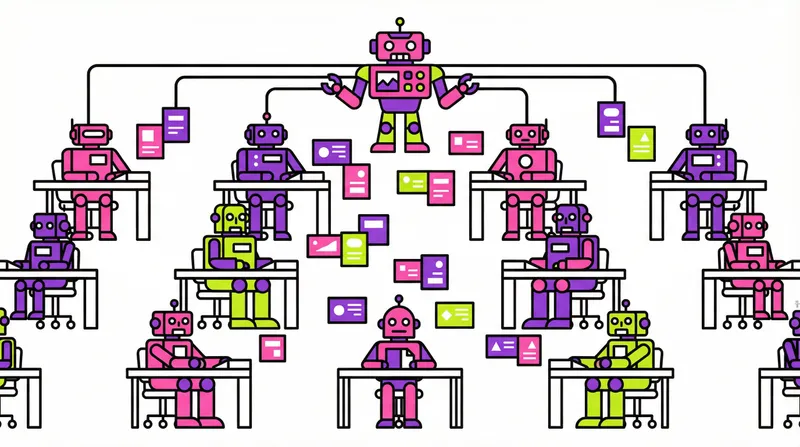
Gestern hat Anthropic Claude Opus 4.6 zusammen mit einem Feature angekündigt, auf das ich gewartet habe: Agent Teams in Claude Code. Agent Teams ermöglichen es, mehrere Claude Code Instanzen zu koordinieren, die zusammenarbeiten — eine Sitzung agiert als Teamleiter, spawnt Teammitglieder, die unabhängig arbeiten, jedes in seinem eigenen Kontextfenster, und kommuniziert über eine geteilte Aufgabenliste und Direktnachrichten.
Hinweis: Wie in meinem vorherigen Artikel zu Ralph Loop stellt dies meine aktuellen Experimente mit KI-gestützten Entwicklungsworkflows dar. Agent Teams sind experimentell und die Landschaft entwickelt sich schnell. Ich baue auf der Arbeit von Addy Osmani, Kieran Klaassen, Paddos Swarm-Beiträgen und Anthropics eigener Dokumentation auf.
Dieser Artikel ist ein tiefer Einblick: der vollständige Quellcode des /speckit.team-implement-Befehls, der Algorithmus hinter der Stream-Erkennung, die Agent-Prompts, die Koordinationsschleife, Fehlerbehandlung, praktische Anwendungsbeispiele und gewonnene Erkenntnisse. Wer Spec Kit nutzt und genau verstehen möchte, wie parallele Ausführung unter der Haube funktioniert, findet hier das vollständige Bild.
Teil 1: Agent Teams verstehen
Was Claude Code Agent Teams sind
Agent Teams, am 5. Februar angekündigt und hier dokumentiert, sind ein experimentelles Feature in Claude Code. Hier ist die Architektur:
| Komponente | Rolle |
|---|---|
| Team Lead | Die Haupt-Claude-Code-Sitzung — erstellt das Team, spawnt Teammitglieder, koordiniert die Arbeit |
| Teammates | Separate Claude Code Instanzen, jede mit eigenem Kontextfenster |
| Task List | Geteilte Arbeitselemente, die Teammitglieder beanspruchen und abschließen, gespeichert unter ~/.claude/tasks/{team-name}/ |
| Mailbox | Nachrichtensystem für Kommunikation zwischen Agents |
Anders als Subagents (die innerhalb einer einzelnen Sitzung laufen und nur an den Hauptagenten berichten können) sind Teammates vollständig unabhängig. Sie können sich direkt gegenseitig Nachrichten schicken, Aufgaben aus der geteilten Liste selbst beanspruchen, und man kann mit einzelnen Teammates über Shift+Up/Down im Terminal interagieren.
Unterschiede zu Subagents
Diese Unterscheidung ist wichtig, um zu verstehen, warum /speckit.team-implement Agent Teams statt Subagents verwendet:
| Subagents | Agent Teams | |
|---|---|---|
| Kontext | Eigenes Kontextfenster; Ergebnisse kehren zum Aufrufer zurück | Eigenes Kontextfenster; vollständig unabhängig |
| Kommunikation | Berichten Ergebnisse nur an den Hauptagent | Teammates kommunizieren direkt miteinander |
| Koordination | Hauptagent verwaltet alle Arbeit | Geteilte Aufgabenliste mit Selbstkoordination |
| Ideal für | Fokussierte Aufgaben, bei denen nur das Ergebnis zählt | Komplexe Arbeit, die Diskussion und Zusammenarbeit erfordert |
| Token-Kosten | Niedriger: Ergebnisse zusammengefasst zurück im Hauptkontext | Höher: jeder Teammate ist eine separate Claude-Instanz |
Für Feature-Implementierung brauchen wir Teammates, die autonom an verschiedenen Dateisets über längere Zeiträume arbeiten können, sich über eine geteilte Aufgabenliste koordinieren und kommunizieren, wenn sie Probleme entdecken. Das ist das Agent Teams Modell.
Agent Teams aktivieren
Agent Teams sind standardmäßig deaktiviert. Man aktiviert sie durch Hinzufügen des experimentellen Flags in den Einstellungen:
// ~/.claude/settings.json
{
  "env": {
    "CLAUDE_CODE_EXPERIMENTAL_AGENT_TEAMS": "1"
  }
}
Oder als Umgebungsvariable:
export CLAUDE_CODE_EXPERIMENTAL_AGENT_TEAMS=1Hauptfunktionen
Aus der offiziellen Dokumentation:
Selbstkoordination: Nach Abschluss einer Aufgabe nimmt ein Teammate automatisch die nächste nicht zugewiesene, nicht blockierte Aufgabe. Das Beanspruchen von Aufgaben nutzt File Locking, um Race Conditions zu verhindern.
Aufgabenabhängigkeiten: Wenn ein Teammate eine Aufgabe abschließt, von der andere abhängen, werden blockierte Aufgaben ohne manuellen Eingriff freigegeben. Das ist entscheidend für phasenbasierte Ausführung.
Delegate Mode: Beschränkt den Lead auf reine Koordinationswerkzeuge — Spawnen, Nachrichten, Herunterfahren von Teammates und Aufgabenverwaltung. Verhindert, dass der Lead selbst Aufgaben implementiert. Shift+Tab drücken, um in den Delegate Mode zu wechseln.
Plan-Genehmigung: Teammates können im Read-only-Plan-Modus arbeiten, bis der Lead ihren Ansatz genehmigt. Nützlich für komplexe oder riskante Aufgaben.
Anzeigemodi: In-Process-Modus (alle Teammates in einem Terminal, Shift+Up/Down zum Navigieren) oder Split-Pane-Modus (jeder Teammate bekommt seinen eigenen tmux/iTerm2-Bereich).
Direkte Interaktion: Man kann jederzeit jedem Teammate direkt eine Nachricht senden. Im In-Process-Modus Enter drücken, um die Sitzung eines Teammates zu sehen, Escape, um seinen aktuellen Turn zu unterbrechen.
Bekannte Einschränkungen
Agent Teams sind experimentell. Die Docs listen mehrere Einschränkungen:
- Keine Session-Wiederaufnahme:
/resumeund/rewindstellen In-Process-Teammates nicht wieder her - Aufgabenstatus kann verzögert sein: Teammates vergessen manchmal, Aufgaben als abgeschlossen zu markieren, was abhängige Aufgaben blockiert
- Herunterfahren kann langsam sein: Teammates beenden ihren aktuellen Request, bevor sie stoppen
- Ein Team pro Sitzung: Das aktuelle Team aufräumen, bevor ein neues gestartet wird
- Keine verschachtelten Teams: Teammates können keine eigenen Teams spawnen
- Split Panes erfordern tmux oder iTerm2: Nicht unterstützt im integrierten Terminal von VS Code oder Ghostty
Teil 2: Warum sequenzielle Ausführung Grenzen hat
Die Durchsatz-Obergrenze
In meinem Ralph Loop Artikel habe ich beschrieben, wie Frischer-Kontext-pro-Aufgabe die Kontexterschöpfung löst. Ralph Loop ist konstruktionsbedingt sequenziell: eine Aufgabe, eine KI-Instanz, ein Commit, wiederholen. Das funktioniert bemerkenswert gut für die Qualitätssicherung.
Aber es gibt eine fundamentale Durchsatz-Obergrenze. Betrachten wir ein typisches Full-Stack-Feature mit 40 Aufgaben:
- 18 Backend-Aufgaben (Rust Handler, Migrationen, Tests)
- 10 Frontend-Aufgaben (React-Komponenten, State Management)
- 4 E2E-Test-Aufgaben
- 6 übergreifende Aufgaben (Docs, Security Audit, Feinschliff)
- 2 Setup-Aufgaben
In Ralph Loop werden diese strikt sequenziell ausgeführt. Aufgabe 20 (eine React-Komponente) wartet auf Aufgabe 19 (ein Rust-Migrationstest), obwohl sie keine gemeinsamen Dateien haben. Die gesamte Wanduhrzeit ist die Summe aller Aufgaben.
Mit paralleler Ausführung könnte es näher am Maximum unabhängiger Streams liegen:
Sequential (Ralph Loop):
  ┌──────────────────────────────────────────────────────────────────────┐
  │ T001 │ T002 │ ... │ T018 │ T019 │ ... │ T028 │ T029 │ ... │ T040   │
  │      backend       │     frontend      │    e2e + polish           │
  └──────────────────────────────────────────────────────────────────────┘
  Total time: sum of all 40 tasks ≈ 4 hours

Parallel (Agent Teams):
  ┌──────────────────────────────┐
  │ backend-dev: T001...T018     │ ←── longest stream
  ├──────────────────────┐       │
  │ frontend-dev: T019...T028    │
  ├──────────────┐       │       │
  │ e2e + polish │       │       │
  └──────────────┴───────┴───────┘
  Total time: longest stream ≈ 2 hours
Warum mehrere Ralph Loops nicht funktionieren
Der naive Ansatz — zwei Ralph Loop Instanzen auf demselben Repository laufen lassen — scheitert sofort:
Dateikonflikte: Zwei Agents, die gleichzeitig dieselbe Datei bearbeiten, verursachen Überschreibungen. Git Merge-Konflikte im besten Fall, stiller Datenverlust im schlimmsten.
Keine Koordination: Agent A weiß nicht, dass Agent B existiert. Beide könnten versuchen, dieselbe Aufgabe zu implementieren oder widersprüchliche Ansätze für dasselbe Problem umzusetzen.
Keine Qualitätskontrolle: Wer überprüft, dass die kombinierte Ausgabe beider Agents tatsächlich zusammen funktioniert? Eine Backend-Änderung könnte das Frontend brechen, und keiner der Agents weiß es.
Kein Abhängigkeitsmanagement: Einige Frontend-Aufgaben brauchen die Backend-API, um zuerst zu existieren. Ohne Koordination beginnt der Frontend-Agent Arbeit, die zum Scheitern verurteilt ist.
Man braucht ein System, das versteht, welche Aufgaben sicher parallel laufen können, sie den richtigen Agents zuweist, Abhängigkeiten zwischen Streams verwaltet und das kombinierte Ergebnis verifiziert.
Teil 3: Der /speckit.team-implement Befehl
Was gebaut wird
Eine neue Datei im Spec Kit Plugin:
~/Development/claude-plugins/.claude/commands/speckit.team-implement.mdDies ist ein Claude Code Slash-Befehl (wie /speckit.implement oder /speckit.tasks). Wenn man /speckit.team-implement in Claude Code tippt, wird diese Befehlsdatei ausgeführt. Der Befehl enthält die vollständigen Anweisungen für Stream-Erkennung, Team-Erstellung und Koordination.
Einordnung im Workflow
Der Befehl fügt sich in den bestehenden Spec Kit Workflow ein. Man verwendet weiterhin dieselben Planungsbefehle:
1. /speckit.specify         →  spec.md      (was gebaut werden soll)
2. /speckit.plan            →  plan.md      (wie es gebaut werden soll)
3. /speckit.tasks           →  tasks.md     (granulare Aufgabenliste)
4. /speckit.team-implement  →  parallele Ausführung mit Agent Teams
Schritte 1-3 sind unverändert. Schritt 4 ist der Punkt, an dem der neue Befehl /speckit.implement (Einzelagent sequenziell) oder Ralph Loop (Frischer-Kontext sequenziell) ersetzt.
Voraussetzungen
Vor dem Ausführen des Befehls wird benötigt:
- Agent Teams aktiviert (siehe oben)
- Spec Kit Artefakte im Projekt:
specs/{feature}/tasks.md(erforderlich — die auszuführende Aufgabenliste)specs/{feature}/plan.md(erforderlich — Architekturkontext für Agents)specs/{feature}/spec.md(erforderlich — Feature-Anforderungen).specify/memory/constitution.md(optional — Qualitätstore und Regeln)
- Ein Feature-Branch nach Spec Kit Benennung:
001-feature-name
Den Befehl ausführen
# Grundlegende Nutzung -- alles automatisch erkennen
/speckit.team-implement

# Vorschau, was passieren würde, ohne ein Team zu erstellen
/speckit.team-implement --dry-run

# Auf 2 parallele Streams begrenzen
/speckit.team-implement --streams 2

# Plan-Genehmigung vor der Implementierung durch Teammates verlangen
/speckit.team-implement --require-plan-approval
Teil 4: Der vollständige Befehlsquellcode
Hier ist der vollständige, ungekürzte Quellcode von speckit.team-implement.md — die tatsächliche Befehlsdatei, die Claude Code ausführt, wenn man /speckit.team-implement tippt. Dies ist die vollständige Datei, genau wie sie im Plugin-Repository liegt:
---
description: Execute tasks.md using Agent Teams with auto-detected parallel work streams.
handoffs:
  - label: Analyze First
    agent: speckit.analyze
    prompt: Run consistency analysis before team execution
    send: true
---

## User Input

```text
$ARGUMENTS
```

You **MUST** consider the user input before proceeding (if not empty).

## Outline

Execute the feature's tasks.md using Claude Code Agent Teams. Auto-detects parallel work streams from file paths, spawns specialist teammates for each stream, and includes a mandatory QA/Security gatekeeper. This is the parallel alternative to sequential `/speckit.implement` (or Ralph Loop).

**When to prefer this over sequential execution:**
- 5+ unchecked tasks remaining (coordination overhead is worth it below this threshold)
- Tasks span multiple directories (file-conflict analysis finds parallel streams)
- Project benefits from a dedicated QA/Security reviewer teammate

**When to suggest Ralph Loop / sequential `/speckit.implement` instead:**
- < 5 unchecked tasks remaining
- All tasks are strictly sequential with no `[P]` markers AND touch a single directory
- User explicitly wants fresh-context-per-task isolation

If conditions suggest sequential execution is better, inform the user and recommend `/speckit.implement` or Ralph Loop instead. Do not proceed with team creation.

---

## Step 1: Setup

Run `.specify/scripts/bash/check-prerequisites.sh --json --require-tasks --include-tasks` from repo root and parse `FEATURE_DIR` and `AVAILABLE_DOCS` list. All paths must be absolute. For single quotes in args like "I'm Groot", use escape syntax: e.g 'I'\''m Groot' (or double-quote if possible: "I'm Groot").

Extract from the parsed JSON:
- `FEATURE_DIR` — absolute path to the feature's spec directory
- Load and read these files:
  - **REQUIRED**: `FEATURE_DIR/tasks.md`
  - **REQUIRED**: `FEATURE_DIR/plan.md`
  - **REQUIRED**: `FEATURE_DIR/spec.md`
  - **IF EXISTS**: `.specify/memory/constitution.md`
  - **IF EXISTS**: `FEATURE_DIR/data-model.md`
  - **IF EXISTS**: `FEATURE_DIR/research.md`
  - **IF EXISTS**: `FEATURE_DIR/contracts/`

Derive the feature name from the `FEATURE_DIR` directory name (e.g., `001-deploy-pipeline` → `deploy-pipeline`).

---

## Step 2: Parse Unchecked Tasks

Find all unchecked task lines in `tasks.md`:
- Match lines with pattern: `- [ ]` (markdown unchecked checkbox)
- Skip already-completed `- [x]` or `- [X]` lines

For each unchecked task, extract:
- **Task ID**: The `T###` identifier (e.g., `T017`)
- **Parallel marker**: Whether `[P]` is present
- **Story label**: The `[US#]` label if present (e.g., `[US1]`, `[US2]`)
- **Description**: The full task description text
- **File path**: Extract file paths from the description using regex for patterns like `word/word/file.ext` or `word/word/` (path-like segments with `/`)
- **Phase**: Which phase section the task belongs to (from the `## Phase N:` heading it falls under)

Count total unchecked tasks. If zero, report "All tasks are already completed. Nothing to do." and stop.

If fewer than 5 unchecked tasks, recommend sequential execution:
```
Only N unchecked tasks remaining. Team coordination overhead is not worth it.
Recommendation: Use /speckit.implement or Ralph Loop for sequential execution.
```
Ask the user if they want to proceed anyway or switch to sequential execution. Stop if they choose sequential.

---

## Step 3: Auto-Detect Work Streams (File-Conflict Analysis)

Stream detection uses **file-conflict analysis** (not keyword matching) to determine what can safely run in parallel. Keywords are used only for agent role assignment and intra-stream task ordering.

### Algorithm

**3a. Extract file paths from each unchecked task:**
- Regex for patterns like `word/word/file.ext` or `word/word/` in the task description
- Use the first TWO path segments for grouping (e.g., `backend/src/`, `frontend/e2e/`, `tests/unit/`)
- Tasks with no file path → mark as "repo-wide" (e.g., security audits, documentation reviews)

**3b. Build file-conflict graph:**
- Task A conflicts with Task B if they share any file path OR share the same two-segment path prefix
- Connected tasks (sharing file paths) MUST be in the same stream (same teammate)

**3c. Find independent components (connected components in the conflict graph):**
- Each connected component = one work stream (one teammate)
- Independent components (no shared files) = can run in parallel (separate teammates)
- "Repo-wide" tasks (no file path) → always assigned to qa-security (runs last)

**3d. Assign agent roles using concern keywords:**
Keywords determine the agent's expertise and prompt additions, NOT stream boundaries:
- Tasks containing "security" / "SR-" / "audit" → security-aware prompt additions
- Tasks containing "test" / "E2E" / "spec.ts" / "spec.py" → testing-focused instructions
- Tasks containing "migration" / "schema" → database-aware ordering (run these first within stream)
- Tasks containing "doc" / "README" / "docs/" → documentation focus

Name each stream based on its dominant file path prefix and role:
- `backend/` paths → `backend-dev`
- `frontend/src/` paths → `frontend-dev`
- `frontend/e2e/` or `tests/` paths → `test-writer` (if separate from implementation dirs)
- `docs/` paths → `docs-writer`
- Multiple unrelated prefixes in one component → name by dominant concern
- Single directory project → `implementer`

**3e. Order tasks within each stream by concern priority:**
1. Migrations / schema changes (run first)
2. Models / entities
3. Services / business logic
4. Endpoints / handlers / UI components
5. Tests
6. Documentation
7. Polish / cleanup

**3f. Detect cross-stream dependencies:**
- **Story dependencies**: If tasks from different streams share the same `[US#]` label, the downstream stream's tasks for that story are blocked by the upstream stream's tasks for the same story (e.g., frontend US1 tasks depend on backend US1 tasks)
- **Phase dependencies**: Tasks in Phase N+1 are blocked by Phase N completion
- **E2E test dependencies**: E2E test tasks depend on the API/feature they test, even if in different directories — create a dependency edge
- **Setup/Foundation dependencies**: Phase 1 and Phase 2 tasks block all user story tasks

### Present Results for User Confirmation

Display the stream detection results clearly:

```
Stream Detection Results (file-conflict analysis):

  Streams found:
    {stream-name} ({N} tasks) — files: {dominant path prefixes}
    {stream-name} ({N} tasks) — files: {dominant path prefixes}
    qa-security ({N} repo-wide tasks + final verification)

  Parallel groups:
    {stream-a} + {stream-b} (no file conflicts)

  Dependencies:
    {stream-b} US1 tasks wait for {stream-a} US1 tasks
    {stream-c} E2E tests wait for relevant implementations
    qa-security runs final verification after all streams

  Total: {N} unchecked tasks + qa verification

Proceed with this team structure? [Y/adjust/cancel]
```

Wait for user confirmation. If they say "adjust", ask what they want to change and rebuild streams. If "cancel", stop execution.

---

## Step 4: Build Dependency Graph

Map phase dependencies, `[P]` markers, and cross-stream relationships into task dependency relationships (for use with `addBlockedBy` in Step 5).

### Phase dependencies:
- Phase 1 (Setup) → no dependencies, starts immediately
- Phase 2 (Foundation) → blocked by ALL Phase 1 tasks completing
- Phase 3+ (User Stories) → blocked by ALL Phase 2 tasks completing
- Final Phase (Polish) → blocked by all user story phase tasks completing

### Within a phase:
- Tasks marked `[P]` → can run in parallel (no `addBlockedBy` within the phase, other than phase-level dependency)
- Tasks NOT marked `[P]` → sequential within their phase (each `addBlockedBy` on the previous non-`[P]` task in that phase within the same stream)

### Cross-stream dependencies:
- If a backend task `T017` and frontend task `T022` are in the same user story `[US1]`, and `T022` is in the downstream stream (determined by path analysis — frontend depends on backend API), then `T022` has `addBlockedBy: [T017]`
- E2E test tasks are blocked by the implementation tasks they test
- Detection heuristic: frontend tasks in a story that reference API-related paths are blocked by the backend handler tasks in the same story

Record these dependency relationships as a map: `{taskId: [blockedByTaskIds]}` for use in Step 5.

---

## Step 5: Hydrate into Claude Tasks

For each unchecked task from Step 2, call `TaskCreate`:

```
TaskCreate(
  subject: "{TaskID} [{Story}] {Description (truncated to ~80 chars)}",
  description: "From specs/{feature}/tasks.md.
    File: {extracted file path}.
    Phase: {phase number and name}.
    Stream: {assigned stream name}.
    Context: Read specs/{feature}/spec.md {story section} and plan.md for architecture.
    Quality gates: {auto-detected from project — see Step 6 for detection}.",
  activeForm: "{Present continuous form of task action}",
  metadata: {
    "stream": "{stream-name}",
    "phase": "{phase-number}",
    "story": "{US# or none}",
    "speckit_id": "{TaskID}"
  }
)
```

After creating all tasks, set up dependencies with `TaskUpdate(addBlockedBy: [...])` using the dependency map from Step 4.

### Present hydration results:

```
Task Hydration Complete:
  Created: {N} tasks
  Dependencies: {N} blocking relationships
  Streams: {stream-name} ({N} tasks), ...

Create agent team and begin execution? [Y/cancel]
```

Wait for user confirmation before proceeding to team creation.

---

## Step 6: Create Agent Team with QA/Security Gatekeeper

### Auto-detect quality gates

Before creating the team, detect available quality gates from the project:

1. **From constitution** (`.specify/memory/constitution.md`): Extract any quality gate commands mentioned (test commands, lint commands, coverage requirements)
2. **From project config files** (auto-detect from repo root):
   - `Cargo.toml` exists → `cargo clippy -- -D warnings` + `cargo test`
   - `package.json` exists → read `scripts` for `test`, `lint`, `test:e2e` commands
   - `pyproject.toml` or `setup.py` exists → `pytest` or detected test runner
   - `go.mod` exists → `go vet ./...` + `go test ./...`
   - `.eslintrc*` or `eslint.config.*` exists → `eslint` lint command
   - `pnpm-lock.yaml` → use `pnpm` prefix; `yarn.lock` → use `yarn`; otherwise `npm`
3. **Fallback**: If no config files detected, use generic gates: "run any test commands found in project"

Build a quality gates list for the qa-security agent prompt.

### Create the team

```
TeamCreate(team_name: "{feature-name}")
```

### Spawn implementation agents (one per detected stream)

For each stream detected in Step 3, spawn an implementation agent:

```
Task(
  name: "{stream-name}",
  team_name: "{feature-name}",
  subagent_type: "general-purpose",
  prompt: "You are the {stream-name} developer for the {feature-name} feature.

    FIRST: Read these files to understand the full context:
    - {FEATURE_DIR}/spec.md (feature requirements — focus on sections relevant to your tasks)
    - {FEATURE_DIR}/plan.md (architecture and technical decisions)
    - {FEATURE_DIR}/tasks.md (full task list for reference)
    {IF constitution exists: - .specify/memory/constitution.md (quality gates and non-negotiable rules)}

    YOUR SCOPE: You ONLY work on files under: {list of path prefixes for this stream}
    Do NOT touch files outside your scope. If a task requires files outside your scope,
    message the lead to coordinate with the appropriate teammate.

    WORKFLOW:
    1. Check TaskList for tasks assigned to you
    2. Pick the lowest-ID unblocked task assigned to you
    3. Read the task description carefully via TaskGet
    4. Implement the task following the spec and plan
    5. After implementation: run quality gates for your scope:
       {stream-specific quality gate commands}
    6. If gates pass: mark task completed via TaskUpdate, commit changes:
       git add {specific files you changed} && git commit -m 'feat({stream-name}): {task summary}'
    7. If gates fail: fix issues and re-run before marking complete
    8. Check TaskList for next available task and repeat
    9. When all your tasks are done, notify the lead

    IMPORTANT RULES:
    - Never mark a task complete if quality gates are failing
    - Never commit placeholder or stub implementations
    - If blocked or confused, message the lead for help
    - If you receive a fix request from qa-security, prioritize it over new tasks
    - Commit after EACH completed task (not in batches)"
)
```

### Spawn QA/Security gatekeeper (ALWAYS present)

```
Task(
  name: "qa-security",
  team_name: "{feature-name}",
  subagent_type: "general-purpose",
  prompt: "You are the QA and Security gatekeeper for the {feature-name} feature.

    FIRST: Read these files:
    - {FEATURE_DIR}/spec.md (full feature requirements, especially security requirements SR-*, AL-*)
    - {FEATURE_DIR}/plan.md (architecture and technical decisions)
    {IF constitution exists: - .specify/memory/constitution.md (ALL quality gates and NON-NEGOTIABLE rules)}

    YOUR ROLE: You VERIFY work done by other teammates. You do NOT implement features.
    You are the final authority — nothing is marked truly complete until you approve.

    QUALITY GATES (run ALL of these when asked to verify):
    {auto-detected quality gate commands from Step 6 detection, formatted as a numbered list}

    SECURITY CHECKS:
    1. Input validation on all endpoints / user-facing interfaces
    2. No hardcoded secrets, API keys, or credentials
    3. Proper error handling (no stack traces leaked to users)
    4. OWASP Top 10 review of new code
    5. Authentication/authorization enforcement where required
    6. Check for SQL injection, XSS, command injection vulnerabilities
    {IF spec has security requirements: 7. Verify SR-*/AL-* requirements from spec.md}

    TASK INTEGRITY CHECKS:
    1. No placeholder or stub implementations (all features fully functional)
    2. No undocumented TODO comments in new code
    3. All features wired up and reachable (not dead code)
    4. Code matches the task description and spec requirements

    WORKFLOW:
    1. Wait for the lead to notify you that a phase/story is ready for review
    2. Run ALL quality gates listed above
    3. Run security checks on all new/modified code
    4. Run task integrity checks
    5. Report results to the lead:
       - PASS: All gates passed, provide summary
       - FAIL: List EACH failure with specific file paths, line numbers, and error messages
    6. For FINAL verification (after all implementation): run comprehensive review
       across the entire feature codebase

    REPO-WIDE TASKS: You also own any repo-wide tasks (security audits, cross-cutting
    concerns) from the task list. Complete these after all implementation streams finish.

    IMPORTANT: Be thorough. A false PASS is worse than a false FAIL."
)
```

---

## Step 7: Lead Coordination Loop (Autonomous Until Done)

You (the lead) now enter an autonomous coordination loop. Run this loop until ALL tasks are completed AND qa-security gives final approval.

### The Loop

```
REPEAT until all tasks completed AND qa-security approves:

  1. ASSIGN TASKS
     - Call TaskList to see current state
     - For each unblocked, unassigned task:
       - Match the task's stream (from metadata) to the correct teammate
       - Assign via TaskUpdate(owner: "{stream-name}")
     - Respect dependency ordering: only assign tasks whose addBlockedBy are all completed

  2. MONITOR PROGRESS
     - Teammates will message you when they complete tasks or need help
     - TaskList shows current status of all tasks
     - When a task completes, its dependents become unblocked automatically

  3. PHASE/STORY GATE CHECK
     When ALL tasks for a phase or user story are marked completed by their stream agents:
     - Message qa-security: "Phase {N} / Story {US#} complete. Please run full verification."
     - Wait for qa-security response

  4. HANDLE QA FAILURES
     If qa-security reports FAIL:
     - Parse the failure details (which tests failed, which files, what errors)
     - Create NEW fix tasks via TaskCreate:
       - Clear description of what failed and what needs fixing
       - Include file paths and error messages from qa-security's report
       - Assign to the appropriate stream agent based on file paths
     - Message the stream agent about the fix task
     - Wait for fixes to complete
     - Re-trigger qa-security verification for the same phase/story

  5. PHASE TRANSITION
     When qa-security reports PASS for a phase/story:
     - Mark the phase/story as verified (internal tracking)
     - Assign newly unblocked tasks from the next phase to stream agents
     - Continue the loop

  6. FINAL GATE
     When ALL implementation tasks are completed:
     - Trigger qa-security for COMPREHENSIVE final verification:
       - All test suites (unit, integration, E2E)
       - Full security review of all new code
       - Task completion integrity (no stubs, no TODOs)
     - This is the Feature Completion Gate
     - Only proceed to Step 8 after qa-security gives FINAL PASS

END REPEAT
```

### Critical Failure Escalation

If qa-security reports a CRITICAL security issue (e.g., credential leak, injection vulnerability, broken auth):
- **STOP** all stream agents from taking new tasks
- Present the issue to the user with full details
- Ask the user how to proceed before continuing
- Do NOT auto-fix critical security issues without user review

### Handling Stuck Agents

If a teammate appears stuck (no progress on a task for an extended period):
- Message them asking for status
- If they report being blocked, help resolve the blocker or reassign the task
- If truly stuck, create a new approach as a subtask

---

## Step 8: Sync Back to tasks.md

When qa-security gives final PASS:

1. **Read current TaskList status** — get all completed task IDs and their `speckit_id` metadata

2. **Update tasks.md** — for each completed task, change the checkbox in `FEATURE_DIR/tasks.md`:
   - Find the line containing the task's `speckit_id` (e.g., `T017`)
   - Change `- [ ]` to `- [x]` on that line
   - Preserve ALL other content (descriptions, phase headers, notes)

3. **Update plan.md** — add a completion note at the bottom of `FEATURE_DIR/plan.md`:
   ```
   ## Implementation Status

   **Completed via Agent Teams**: {date}
   **Tasks completed**: {N}/{total}
   **Quality gates**: All passed
   **Security review**: Approved by qa-security
   ```

4. **Commit all changes**:
   ```bash
   git add {FEATURE_DIR}/tasks.md {FEATURE_DIR}/plan.md
   git commit -m "feat({feature-name}): complete implementation via Agent Teams

   Tasks completed: {N}/{total}
   Streams: {list of stream names}
   Quality gates: All passed
   Security review: Approved"
   ```

5. **Shut down teammates gracefully** — send shutdown requests to all teammates via `SendMessage(type: "shutdown_request")`

6. **Clean up team resources** — call `TeamDelete` after all teammates have shut down

7. **Report summary to user**:
   ```
   Team Implementation Complete

   Feature: {feature-name}
   Tasks completed: {N}/{total}
   Streams used: {stream-name} ({N} tasks), ...

   Quality Gate Results:
     {gate}: PASS
     {gate}: PASS
     ...

   Security Review: APPROVED
     - No critical vulnerabilities found
     - {summary of security checks performed}

   Files modified: {count}
   Commits created: {count}

   Next steps:
     - Review changes: git log --oneline {first-commit}..HEAD
     - Run full test suite manually if desired
     - Create PR when ready: /commit or gh pr create
   ```

---

## Argument Handling

The command accepts optional arguments after `/speckit.team-implement`:

- **`--require-plan-approval`**: Spawn teammates in plan mode. The lead must approve each teammate's plan before they implement. Slower but gives more control.
- **`--dry-run`**: Run Steps 1-5 (detection, parsing, hydration) but do NOT create the team or execute. Useful for previewing what would happen.
- **`--streams N`**: Override the maximum number of parallel streams (default: auto-detected, capped at 4). Use `--streams 2` for simpler projects.

If `$ARGUMENTS` contains any of these flags, handle them before proceeding. Any other text in `$ARGUMENTS` is treated as additional context for the feature.

---

## Error Recovery

### If a teammate crashes or disconnects:
- Identify incomplete tasks from TaskList (status: in_progress, owner: crashed agent)
- Reset those tasks to pending (remove owner)
- Spawn a replacement teammate with the same scope
- Reassign the tasks

### If quality gates fail repeatedly (3+ times for same issue):
- Stop the failing stream
- Present the persistent failure to the user with full context
- Ask for guidance before continuing

### If git conflicts occur:
- Teammates work on different files, so conflicts should be rare
- If a conflict is detected during commit, message the lead
- Lead coordinates resolution: one teammate commits first, the other rebases

---

## Notes

- This command assumes a complete task breakdown exists in tasks.md. If tasks are incomplete or missing, suggest running `/speckit.tasks` first.
- File ownership is critical: two teammates editing the same file causes overwrites. The file-conflict analysis in Step 3 prevents this.
- The qa-security agent is ALWAYS spawned regardless of project type. Even single-directory projects benefit from a dedicated reviewer.
- Teammates commit after each task, not in batches. This keeps the git history clean and makes rollbacks easier.
- The lead stays in a coordination role and does NOT implement tasks directly.
Die unterstützenden Skripte
Schritt 1 des Befehls ruft check-prerequisites.sh auf, das die Projektstruktur validiert und den Feature-Verzeichnispfad zurückgibt. Dieses Skript bezieht common.sh für gemeinsame Hilfsfunktionen. Beide Skripte befinden sich in .specify/scripts/bash/ und werden von allen Spec Kit Befehlen verwendet.
common.sh — Gemeinsame Hilfsfunktionen
#!/usr/bin/env bash
# Common functions and variables for all scripts

# Get repository root, with fallback for non-git repositories
get_repo_root() {
    if git rev-parse --show-toplevel >/dev/null 2>&1; then
        git rev-parse --show-toplevel
    else
        # Fall back to script location for non-git repos
        local script_dir="$(CDPATH="" cd "$(dirname "${BASH_SOURCE[0]}")" && pwd)"
        (cd "$script_dir/../../.." && pwd)
    fi
}

# Get current branch, with fallback for non-git repositories
get_current_branch() {
    # First check if SPECIFY_FEATURE environment variable is set
    if [[ -n "${SPECIFY_FEATURE:-}" ]]; then
        echo "$SPECIFY_FEATURE"
        return
    fi

    # Then check git if available
    if git rev-parse --abbrev-ref HEAD >/dev/null 2>&1; then
        git rev-parse --abbrev-ref HEAD
        return
    fi

    # For non-git repos, try to find the latest feature directory
    local repo_root=$(get_repo_root)
    local specs_dir="$repo_root/specs"

    if [[ -d "$specs_dir" ]]; then
        local latest_feature=""
        local highest=0

        for dir in "$specs_dir"/*; do
            if [[ -d "$dir" ]]; then
                local dirname=$(basename "$dir")
                if [[ "$dirname" =~ ^([0-9]{3})- ]]; then
                    local number=${BASH_REMATCH[1]}
                    number=$((10#$number))
                    if [[ "$number" -gt "$highest" ]]; then
                        highest=$number
                        latest_feature=$dirname
                    fi
                fi
            fi
        done

        if [[ -n "$latest_feature" ]]; then
            echo "$latest_feature"
            return
        fi
    fi

    echo "main"  # Final fallback
}

# Check if we have git available
has_git() {
    git rev-parse --show-toplevel >/dev/null 2>&1
}

check_feature_branch() {
    local branch="$1"
    local has_git_repo="$2"

    # For non-git repos, we can't enforce branch naming but still provide output
    if [[ "$has_git_repo" != "true" ]]; then
        echo "[specify] Warning: Git repository not detected; skipped branch validation" >&2
        return 0
    fi

    if [[ ! "$branch" =~ ^[0-9]{3}- ]]; then
        echo "ERROR: Not on a feature branch. Current branch: $branch" >&2
        echo "Feature branches should be named like: 001-feature-name" >&2
        return 1
    fi

    return 0
}

get_feature_dir() { echo "$1/specs/$2"; }

# Find feature directory by numeric prefix instead of exact branch match
# This allows multiple branches to work on the same spec (e.g., 004-fix-bug, 004-add-feature)
find_feature_dir_by_prefix() {
    local repo_root="$1"
    local branch_name="$2"
    local specs_dir="$repo_root/specs"

    # Extract numeric prefix from branch (e.g., "004" from "004-whatever")
    if [[ ! "$branch_name" =~ ^([0-9]{3})- ]]; then
        # If branch doesn't have numeric prefix, fall back to exact match
        echo "$specs_dir/$branch_name"
        return
    fi

    local prefix="${BASH_REMATCH[1]}"

    # Search for directories in specs/ that start with this prefix
    local matches=()
    if [[ -d "$specs_dir" ]]; then
        for dir in "$specs_dir"/"$prefix"-*; do
            if [[ -d "$dir" ]]; then
                matches+=("$(basename "$dir")")
            fi
        done
    fi

    # Handle results
    if [[ ${#matches[@]} -eq 0 ]]; then
        # No match found - return the branch name path (will fail later with clear error)
        echo "$specs_dir/$branch_name"
    elif [[ ${#matches[@]} -eq 1 ]]; then
        # Exactly one match - perfect!
        echo "$specs_dir/${matches[0]}"
    else
        # Multiple matches - this shouldn't happen with proper naming convention
        echo "ERROR: Multiple spec directories found with prefix '$prefix': ${matches[*]}" >&2
        echo "Please ensure only one spec directory exists per numeric prefix." >&2
        echo "$specs_dir/$branch_name"  # Return something to avoid breaking the script
    fi
}

get_feature_paths() {
    local repo_root=$(get_repo_root)
    local current_branch=$(get_current_branch)
    local has_git_repo="false"

    if has_git; then
        has_git_repo="true"
    fi

    # Use prefix-based lookup to support multiple branches per spec
    local feature_dir=$(find_feature_dir_by_prefix "$repo_root" "$current_branch")

    cat <<EOF
REPO_ROOT='$repo_root'
CURRENT_BRANCH='$current_branch'
HAS_GIT='$has_git_repo'
FEATURE_DIR='$feature_dir'
FEATURE_SPEC='$feature_dir/spec.md'
IMPL_PLAN='$feature_dir/plan.md'
TASKS='$feature_dir/tasks.md'
RESEARCH='$feature_dir/research.md'
DATA_MODEL='$feature_dir/data-model.md'
QUICKSTART='$feature_dir/quickstart.md'
CONTRACTS_DIR='$feature_dir/contracts'
EOF
}

check_file() { [[ -f "$1" ]] && echo "  ✓ $2" || echo "  ✗ $2"; }
check_dir() { [[ -d "$1" && -n $(ls -A "$1" 2>/dev/null) ]] && echo "  ✓ $2" || echo "  ✗ $2"; }
Die Schlüsselfunktion hier ist get_current_branch(), die das aktive Feature über einen dreistufigen Fallback bestimmt: die Umgebungsvariable SPECIFY_FEATURE (für CI/CD), den aktuellen Git-Branch, oder das höchstnummerierte Verzeichnis in specs/ (für nicht-Git-Repos). find_feature_dir_by_prefix() gleicht dann das numerische Präfix des Branches (z.B. 004) mit dem entsprechenden Spec-Verzeichnis ab, sodass Branch 004-fix-deploy das Verzeichnis specs/004-deploy-pipeline/ findet.
check-prerequisites.sh — Validierung und Erkennung
#!/usr/bin/env bash

# Consolidated prerequisite checking script
#
# Usage: ./check-prerequisites.sh [OPTIONS]
#
# OPTIONS:
#   --json              Output in JSON format
#   --require-tasks     Require tasks.md to exist (for implementation phase)
#   --include-tasks     Include tasks.md in AVAILABLE_DOCS list
#   --paths-only        Only output path variables (no validation)
#   --help, -h          Show help message
#
# OUTPUTS:
#   JSON mode: {"FEATURE_DIR":"...", "AVAILABLE_DOCS":["..."]}
#   Text mode: FEATURE_DIR:... \n AVAILABLE_DOCS: \n ✓/✗ file.md
#   Paths only: REPO_ROOT: ... \n BRANCH: ... \n FEATURE_DIR: ... etc.

set -e

# Parse command line arguments
JSON_MODE=false
REQUIRE_TASKS=false
INCLUDE_TASKS=false
PATHS_ONLY=false

for arg in "$@"; do
    case "$arg" in
        --json)
            JSON_MODE=true
            ;;
        --require-tasks)
            REQUIRE_TASKS=true
            ;;
        --include-tasks)
            INCLUDE_TASKS=true
            ;;
        --paths-only)
            PATHS_ONLY=true
            ;;
        --help|-h)
            cat << 'EOF'
Usage: check-prerequisites.sh [OPTIONS]

Consolidated prerequisite checking for Spec-Driven Development workflow.

OPTIONS:
  --json              Output in JSON format
  --require-tasks     Require tasks.md to exist (for implementation phase)
  --include-tasks     Include tasks.md in AVAILABLE_DOCS list
  --paths-only        Only output path variables (no prerequisite validation)
  --help, -h          Show this help message

EXAMPLES:
  # Check task prerequisites (plan.md required)
  ./check-prerequisites.sh --json

  # Check implementation prerequisites (plan.md + tasks.md required)
  ./check-prerequisites.sh --json --require-tasks --include-tasks

  # Get feature paths only (no validation)
  ./check-prerequisites.sh --paths-only

EOF
            exit 0
            ;;
        *)
            echo "ERROR: Unknown option '$arg'. Use --help for usage information." >&2
            exit 1
            ;;
    esac
done

# Source common functions
SCRIPT_DIR="$(CDPATH="" cd "$(dirname "${BASH_SOURCE[0]}")" && pwd)"
source "$SCRIPT_DIR/common.sh"

# Get feature paths and validate branch
eval $(get_feature_paths)
check_feature_branch "$CURRENT_BRANCH" "$HAS_GIT" || exit 1

# If paths-only mode, output paths and exit (support JSON + paths-only combined)
if $PATHS_ONLY; then
    if $JSON_MODE; then
        # Minimal JSON paths payload (no validation performed)
        printf '{"REPO_ROOT":"%s","BRANCH":"%s","FEATURE_DIR":"%s","FEATURE_SPEC":"%s","IMPL_PLAN":"%s","TASKS":"%s"}\n' \
            "$REPO_ROOT" "$CURRENT_BRANCH" "$FEATURE_DIR" "$FEATURE_SPEC" "$IMPL_PLAN" "$TASKS"
    else
        echo "REPO_ROOT: $REPO_ROOT"
        echo "BRANCH: $CURRENT_BRANCH"
        echo "FEATURE_DIR: $FEATURE_DIR"
        echo "FEATURE_SPEC: $FEATURE_SPEC"
        echo "IMPL_PLAN: $IMPL_PLAN"
        echo "TASKS: $TASKS"
    fi
    exit 0
fi

# Validate required directories and files
if [[ ! -d "$FEATURE_DIR" ]]; then
    echo "ERROR: Feature directory not found: $FEATURE_DIR" >&2
    echo "Run /speckit.specify first to create the feature structure." >&2
    exit 1
fi

if [[ ! -f "$IMPL_PLAN" ]]; then
    echo "ERROR: plan.md not found in $FEATURE_DIR" >&2
    echo "Run /speckit.plan first to create the implementation plan." >&2
    exit 1
fi

# Check for tasks.md if required
if $REQUIRE_TASKS && [[ ! -f "$TASKS" ]]; then
    echo "ERROR: tasks.md not found in $FEATURE_DIR" >&2
    echo "Run /speckit.tasks first to create the task list." >&2
    exit 1
fi

# Build list of available documents
docs=()

# Always check these optional docs
[[ -f "$RESEARCH" ]] && docs+=("research.md")
[[ -f "$DATA_MODEL" ]] && docs+=("data-model.md")

# Check contracts directory (only if it exists and has files)
if [[ -d "$CONTRACTS_DIR" ]] && [[ -n "$(ls -A "$CONTRACTS_DIR" 2>/dev/null)" ]]; then
    docs+=("contracts/")
fi

[[ -f "$QUICKSTART" ]] && docs+=("quickstart.md")

# Include tasks.md if requested and it exists
if $INCLUDE_TASKS && [[ -f "$TASKS" ]]; then
    docs+=("tasks.md")
fi

# Output results
if $JSON_MODE; then
    # Build JSON array of documents
    if [[ ${#docs[@]} -eq 0 ]]; then
        json_docs="[]"
    else
        json_docs=$(printf '"%s",' "${docs[@]}")
        json_docs="[${json_docs%,}]"
    fi

    printf '{"FEATURE_DIR":"%s","AVAILABLE_DOCS":%s}\n' "$FEATURE_DIR" "$json_docs"
else
    # Text output
    echo "FEATURE_DIR:$FEATURE_DIR"
    echo "AVAILABLE_DOCS:"

    # Show status of each potential document
    check_file "$RESEARCH" "research.md"
    check_file "$DATA_MODEL" "data-model.md"
    check_dir "$CONTRACTS_DIR" "contracts/"
    check_file "$QUICKSTART" "quickstart.md"

    if $INCLUDE_TASKS; then
        check_file "$TASKS" "tasks.md"
    fi
fi
Wenn der Befehl check-prerequisites.sh --json --require-tasks --include-tasks aufruft, macht dieses Skript Folgendes:
- Bezieht
common.shfür die Hilfsfunktionen - Bestimmt das Repository-Root und den aktuellen Feature-Branch
- Validiert, dass das Feature-Verzeichnis,
plan.mdundtasks.mdalle existieren - Entdeckt optionale Dokumente (
research.md,data-model.md,contracts/, etc.) - Gibt ein JSON-Payload zurück wie
{"FEATURE_DIR":"/path/to/specs/004-deploy-pipeline","AVAILABLE_DOCS":["research.md","contracts/","tasks.md"]}
Wenn eine erforderliche Datei fehlt, beendet es sich mit einer hilfreichen Fehlermeldung, die auf den Spec Kit Befehl verweist, der sie erstellt.
Schauen wir uns nun die Schlüsselabschnitte des Befehls an, um zu verstehen, was jeder Teil macht und warum er so gestaltet ist.
Abschnitt-für-Abschnitt-Erklärung
Frontmatter und Benutzereingabe
Der handoffs-Abschnitt erstellt eine Schaltfläche in der Claude Code UI, mit der man zuerst /speckit.analyze ausführen kann — eine Konsistenzprüfung über Spec, Plan und Aufgaben, bevor man sich zur parallelen Ausführung verpflichtet. Das ist dasselbe Muster, das von /speckit.tasks und /speckit.plan verwendet wird. Der $ARGUMENTS-Block erfasst alles, was der Benutzer nach dem Befehl tippt, einschließlich Flags wie --dry-run.
Schritt 1: Setup
Dies nutzt dasselbe Voraussetzungsskript wie /speckit.implement und /speckit.analyze. Das --require-tasks-Flag stellt sicher, dass tasks.md existiert (falls nicht, wird dem Benutzer gesagt, zuerst /speckit.tasks auszuführen). Das Skript gibt JSON mit absoluten Pfaden zurück:
{
  "FEATURE_DIR": "/home/user/project/specs/001-deploy-pipeline",
  "AVAILABLE_DOCS": ["research.md", "data-model.md", "contracts/", "tasks.md"]
}
Schritt 2: Unerledigte Aufgaben parsen
Dies parst das Standardformat von Spec Kit Aufgaben. Eine typische Aufgabenzeile:
- [ ] T017 [P] [US1] Implement POST /api/apps/{slug}/deploy handler in backend/src/api/deploy.rsWird zu:
| Feld | Wert |
|---|---|
| Task ID | T017 |
| Parallel | Ja ([P] vorhanden) |
| Story | US1 |
| Beschreibung | Implement POST /api/apps/{slug}/deploy handler |
| Dateipfad | backend/src/api/deploy.rs |
| Phase | 3 (aus der ## Phase 3: Überschrift darüber) |
Die Schwellenwertprüfung (< 5 Aufgaben -> sequenzielle Ausführung empfehlen) verhindert die Verschwendung von Token für Team-Koordination, wenn sequenzielle Ausführung schneller wäre.
Schritt 3: Der File-Conflict-Analysis-Algorithmus
Dies ist der Kernalgorithmus und die wichtigste Designentscheidung im Befehl.
Warum Dateipfade, nicht Schlüsselwörter
Ein früherer Entwurf verwendete Schlüsselworterkennung: Aufgaben mit “backend” in der Beschreibung gehen an den Backend-Agent. Das scheitert auf mehrere Arten:
- Eine Aufgabe, die “document-oriented database” erwähnt, enthält “document”, ist aber keine Docs-Aufgabe
- Eine Aufgabe über “backend test helpers” enthält sowohl “backend” als auch “test”
- “Frontend error handling for API timeouts” referenziert sowohl Frontend- als auch API-Konzepte
Dateipfade sind eindeutig. backend/src/api/deploy.rs ist klar eine Backend-Datei. frontend/e2e/deploy.spec.ts ist klar ein E2E-Test. Die Zwei-Segment-Präfix-Gruppierung (backend/src/ vs backend/tests/) bedeutet, dass Aufgaben in backend/tests/ mit backend/src/ gruppiert werden (sie sind in derselben verbundenen Komponente), was korrekt ist — ein Backend-Test könnte aus Backend-Quellcode importieren.
Praxisbeispiele für Stream-Erkennung
Beispiel 1: Full-Stack Rust + React App (SoftPatchRocket)
tasks.md contains 36 unchecked tasks:
  T001-T003: Phase 1 setup (no specific paths)
  T004-T009: Phase 2 foundation (backend/src/, backend/migrations/)
  T010-T027: Phase 3-5 user stories
    - T010-T015: backend/src/api/, backend/src/services/
    - T016-T021: frontend/src/components/, frontend/src/hooks/
    - T022-T025: frontend/e2e/
  T026-T030: backend/tests/
  T031-T034: docs/, cross-cutting

File-conflict analysis:
  Component A: backend/src/, backend/tests/, backend/migrations/  →  18 tasks
  Component B: frontend/src/                                       →  10 tasks
  Component C: frontend/e2e/                                       →   4 tasks
  Repo-wide: T031-T034                                             →   4 tasks

Cross-stream dependencies:
  Component C (E2E) depends on Component A (backend API must exist)
  Component B (frontend) depends on Component A (API endpoints) for same-story tasks

Team structure:
  backend-dev:   Component A (18 tasks) — starts immediately
  frontend-dev:  Component B (10 tasks) — starts after backend API tasks per story
  e2e-tester:    Component C (4 tasks)  — starts after relevant APIs exist
  qa-security:   Repo-wide (4 tasks)    — runs after all streams
Beispiel 2: Single-Directory Python-Projekt
tasks.md contains 16 unchecked tasks:
  T001-T003: src/api/, src/services/ (connected — imports overlap)
  T004-T008: src/models/, src/api/ (connected to above)
  T009-T013: tests/ (separate directory!)
  T014-T015: docs/
  T016:      security audit (no path)

File-conflict analysis:
  Component A: src/api/, src/services/, src/models/  →  8 tasks (all connected)
  Component B: tests/                                 →  5 tasks
  Component C: docs/                                  →  2 tasks
  Repo-wide: T016                                     →  1 task

Team structure:
  implementer:  Component A (8 tasks)  — starts immediately
  test-writer:  Component B (5 tasks)  — can start in parallel (different dir!)
  docs-writer:  Component C (2 tasks)  — independent
  qa-security:  verification + T016    — runs after all
Selbst ein Single-Directory-Projekt profitiert von Parallelismus, wenn Tests in einem separaten Verzeichnis liegen.
Beispiel 3: Monorepo
File-conflict analysis:
  Component A: packages/auth/src/       →  12 tasks
  Component B: packages/billing/src/    →  10 tasks
  Component C: packages/shared/         →   3 tasks (shared library)
  Repo-wide: CI config, docs            →   2 tasks

Note: Components A and B both import from Component C,
but they don't edit shared/ files — they only READ from it.
Since the tasks for A and B don't list shared/ paths, they're independent.
Component C tasks run first (Phase 2 foundation), then A and B in parallel.
Was der Benutzer sieht
Nach der Analyse präsentiert der Befehl die Ergebnisse und wartet auf Bestätigung:
Stream Detection Results (file-conflict analysis):

  Streams found:
    backend-dev (18 tasks) — files: backend/src/, backend/tests/, backend/migrations/
    frontend-dev (10 tasks) — files: frontend/src/
    e2e-tester (4 tasks) — files: frontend/e2e/
    qa-security (4 repo-wide tasks + final verification)

  Parallel groups:
    backend-dev + frontend-dev (no file conflicts)

  Dependencies:
    frontend-dev US1 tasks wait for backend-dev US1 tasks
    e2e-tester waits for relevant implementations
    qa-security runs final verification after all streams

  Total: 36 unchecked tasks + qa verification

Proceed with this team structure? [Y/adjust/cancel]
Wenn der Benutzer “adjust” sagt, kann er die Stream-Zuweisungen ändern. Bei “cancel” stoppt die Ausführung.
Schritte 4-5: Abhängigkeitsgraph und Task Hydration
Schritt 4 übersetzt die bestehende Aufgabenstruktur von Spec Kit (Phasen, [P]-Marker, [US#]-Labels) direkt in Claudes addBlockedBy-Beziehungen. Die Kernkenntnis: das Agent Teams System handhabt automatisches Freischalten — “Wenn ein Teammate eine Aufgabe abschließt, von der andere abhängen, werden blockierte Aufgaben ohne manuellen Eingriff freigegeben.”
Schritt 5 hydriert jede Spec Kit Aufgabe über TaskCreate in eine Claude Task. Das metadata-Feld ist entscheidend — darüber weiß die Koordinationsschleife, welcher Stream-Agent welche Aufgabe bekommen soll, und der Sync-Back-Schritt ordnet Claude Task IDs den Spec Kit Task IDs zu (speckit_id: "T017").
Schritt 6: Agent-Prompts — Wichtige Designentscheidungen
Jeder Stream-Agent bekommt einen detaillierten Prompt. Wichtige Designentscheidungen:
Dateizuständigkeitsdurchsetzung: “You ONLY work on files under: {list of path prefixes}.” Das ist der primäre Mechanismus zur Vermeidung von Dateikonflikten. Dem Agent wird seine Grenze explizit mitgeteilt.
Atomare Commits: “Commit after EACH completed task (not in batches).” Das gibt eine saubere Git-Historie und macht Rollbacks einfach — dasselbe Prinzip wie Ralph Loop.
Qualitätstore pro Stream: Jeder Agent führt nur die für seine Dateien relevanten Gates aus. Der Backend-Agent führt cargo clippy && cargo test aus, nicht npm test.
Eskalationspfad: “If blocked or confused, message the lead for help.” Das Agent Teams Nachrichtensystem handhabt das nativ.
Der qa-security Agent adressiert eine echte Schwäche der Einzelagent-Implementierung: Wer überwacht den Überwacher? Wenn dieselbe KI implementiert und verifiziert, hat sie blinde Flecken. Ein separater Agent mit frischem Kontextfenster fängt Dinge auf, die der Implementierer übersehen hat. Dieser Agent wird immer gespawnt, unabhängig von der Projektgröße.
Schritt 7: Die Lead-Koordinationsschleife
Die Schleife ist selbstheilend. Ein Testfehler stoppt nicht alles — er erzeugt eine gezielte Reparaturaufgabe, die zum richtigen Agent zurückgeht. Das System läuft weiter, bis das Feature fertig und verifiziert ist.
Kritische Sicherheitsprobleme (Zugangsdaten-Leaks, Injection-Schwachstellen, gebrochene Auth) eskalieren an den Benutzer statt automatisch behoben zu werden. Manche Dinge erfordern menschliches Urteilsvermögen.
Schritt 8: Sync Back und Fehlerbehandlung
Der Sync-Back-Schritt schließt den Kreis mit Spec Kit, indem er tasks.md aktualisiert (ändert - [ ] zu - [x]), Abschlussstatus zu plan.md hinzufügt, Änderungen committed und alle Teammates ordentlich herunterfährt.
Der Abschnitt zur Fehlerbehandlung deckt drei Szenarien ab: abgestürzte Teammates (mit gleichem Scope ersetzen), persistente Qualitätstore-Fehler (nach 3 Versuchen eskalieren) und Git-Konflikte (selten dank Dateizuständigkeit, aber bei Auftreten über den Lead koordiniert).
Teil 5: Ein vollständiger Nutzungsdurchgang
Gehen wir eine echte Ausführung von Anfang bis Ende durch.
Ausgangspunkt
Man hat ein Spec Kit Projekt mit diesen Artefakten:
specs/004-deploy-pipeline/
  ├── spec.md       # Feature: one-click deployment pipeline
  ├── plan.md       # Rust backend + React frontend + PostgreSQL
  ├── tasks.md      # 34 tasks across 6 phases
  └── contracts/
      └── api.md    # REST API contract
Die tasks.md hat 34 unerledigte Aufgaben:
## Phase 1: Setup (Shared Infrastructure)
- [ ] T001 Create project structure per implementation plan
- [ ] T002 [P] Initialize Rust workspace with Cargo.toml
- [ ] T003 [P] Initialize React app with Vite and TypeScript

## Phase 2: Foundational (Blocking Prerequisites)
- [ ] T004 Create database migrations in backend/migrations/001_initial.sql
- [ ] T005 [P] Implement database connection pool in backend/src/db.rs
- [ ] T006 [P] Configure CORS and middleware in backend/src/middleware.rs
- [ ] T007 Setup React Router and layout in frontend/src/App.tsx

## Phase 3: User Story 1 - Deploy Configuration (P1)
- [ ] T008 [P] [US1] Create App model in backend/src/models/app.rs
- [ ] T009 [P] [US1] Create Deploy model in backend/src/models/deploy.rs
- [ ] T010 [US1] Implement AppService in backend/src/services/app_service.rs
- [ ] T011 [US1] Implement POST /api/apps handler in backend/src/api/apps.rs
- [ ] T012 [US1] Implement POST /api/apps/{slug}/deploy in backend/src/api/deploy.rs
- [ ] T013 [P] [US1] Create AppList component in frontend/src/components/AppList.tsx
- [ ] T014 [P] [US1] Create DeployButton component in frontend/src/components/DeployButton.tsx
- [ ] T015 [US1] Create deploy configuration page in frontend/src/pages/DeployPage.tsx
...

## Phase 6: Polish & Cross-Cutting Concerns
- [ ] T032 [P] Documentation updates in docs/
- [ ] T033 Security hardening review
- [ ] T034 Run full test suite validation
Schritt 1: Den Befehl ausführen
> /speckit.team-implementDer Befehl führt check-prerequisites.sh aus, lädt tasks.md, plan.md, spec.md und findet die Constitution.
Schritt 2: Aufgaben-Parsing
Parsed 34 unchecked tasks (0 already completed).
Threshold check: 34 tasks > 5 minimum → proceeding with team detection.
Schritt 3: Stream-Erkennung
Die File-Conflict-Analyse läuft:
Stream Detection Results (file-conflict analysis):

  Streams found:
    backend-dev (20 tasks) — files: backend/src/, backend/tests/, backend/migrations/
    frontend-dev (8 tasks) — files: frontend/src/
    e2e-tester (2 tasks) — files: frontend/e2e/
    qa-security (4 repo-wide tasks + final verification)

  Parallel groups:
    backend-dev + frontend-dev (no file conflicts)

  Dependencies:
    frontend-dev US1 tasks (T013-T015) wait for backend-dev US1 API tasks (T011-T012)
    frontend-dev US2 tasks (T020-T022) wait for backend-dev US2 API tasks (T018-T019)
    e2e-tester waits for both backend API + frontend pages
    Phase 2 blocks all user stories
    qa-security runs final verification after all streams

  Total: 34 unchecked tasks + qa verification

Proceed with this team structure? [Y/adjust/cancel]
Man tippt Y.
Schritte 4-5: Abhängigkeitsgraph und Task Hydration
Building dependency graph...
  Phase dependencies: 6 phase transitions
  Story dependencies: 8 cross-stream blocking relationships
  [P] parallel groups: 12 tasks can run in parallel within phases

Task Hydration Complete:
  Created: 34 tasks
  Dependencies: 14 blocking relationships
  Streams: backend-dev (20), frontend-dev (8), e2e-tester (2), qa-security (4)

Create agent team and begin execution? [Y/cancel]
Man tippt Y.
Schritt 6: Team-Erstellung
Creating team: deploy-pipeline
Spawning backend-dev... ✓
Spawning frontend-dev... ✓
Spawning e2e-tester... ✓
Spawning qa-security... ✓

Team ready. Entering delegate mode for autonomous coordination.
Press Shift+Up/Down to interact with individual teammates.
Press Ctrl+T to toggle the task list.
Schritt 7: Autonome Ausführung
Der Lead weist Phase-1-Setup-Aufgaben zu und beginnt die Koordinationsschleife. Man kann den Fortschritt im Terminal beobachten:
[backend-dev]  T001 ✓ Created project structure
[backend-dev]  T002 ✓ Initialized Rust workspace
[frontend-dev] T003 ✓ Initialized React app
[backend-dev]  T004 ✓ Created database migrations
[backend-dev]  T005 ✓ Implemented connection pool      ← parallel with T006
[backend-dev]  T006 ✓ Configured middleware             ← parallel with T005
[frontend-dev] T007 ✓ Setup React Router
[lead]         Phase 2 complete. Triggering qa-security verification.
[qa-security]  Running cargo clippy... PASS
[qa-security]  Running cargo test... PASS
[qa-security]  Running npm test... PASS
[qa-security]  Phase 2: PASS
[lead]         Phase 3 unblocked. Assigning US1 tasks.
[backend-dev]  T008 ✓ Created App model                 ← parallel with T009
[backend-dev]  T009 ✓ Created Deploy model               ← parallel with T008
[backend-dev]  T010 ✓ Implemented AppService
[backend-dev]  T011 ✓ Implemented POST /api/apps
[lead]         T011 complete → unblocking frontend-dev T013, T014
[backend-dev]  T012 ✓ Implemented POST /api/apps/{slug}/deploy
[frontend-dev] T013 ✓ Created AppList component          ← started after T011
[frontend-dev] T014 ✓ Created DeployButton component     ← parallel with T013
[frontend-dev] T015 ✓ Created DeployPage
...
[lead]         All implementation tasks complete. Triggering final gate.
[qa-security]  Running comprehensive verification...
[qa-security]  Quality gates: ALL PASS
[qa-security]  Security review: No vulnerabilities found
[qa-security]  Task integrity: All features wired up, no stubs
[qa-security]  FINAL GATE: PASS
Schritt 8: Sync Back
Team Implementation Complete

Feature: deploy-pipeline
Tasks completed: 34/34
Streams used: backend-dev (20 tasks), frontend-dev (8 tasks),
              e2e-tester (2 tasks), qa-security (4 tasks)

Quality Gate Results:
  cargo clippy -- -D warnings: PASS
  cargo test: PASS
  npm test: PASS
  npm run test:e2e: PASS

Security Review: APPROVED
  - Input validation on all 6 API endpoints
  - No hardcoded secrets found
  - OWASP Top 10 checks passed
  - RLS enforcement verified

Commits created: 38 (34 implementation + 4 verification)

Next steps:
  - Review changes: git log --oneline HEAD~38..HEAD
  - Create PR when ready
Teil 6: Wann welchen Ansatz verwenden
Entscheidungsmatrix
| Szenario | Empfehlung | Warum |
|---|---|---|
| < 5 verbleibende Aufgaben | Ralph Loop oder /speckit.implement | Team-Koordinations-Overhead übersteigt Parallelismus-Vorteil |
| 5+ Aufgaben, mehrere Verzeichnisse | /speckit.team-implement | Maximaler Parallelismus-Vorteil |
| 5+ Aufgaben, einzelnes Verzeichnis | /speckit.team-implement | qa-security Reviewer hat trotzdem Mehrwert |
| Strikt sequenziell, keine [P]-Marker | Ralph Loop | Keine Parallelisierungsmöglichkeit |
| Frischer-Kontext-Isolation pro Aufgabe | Ralph Loop | Jede Iteration ist ein sauberer Neustart |
| Unbeaufsichtigte Über-Nacht-Ausführung | Ralph Loop | Vorhersagbarer, einfachere Fehlermodi |
| Interaktive Entwicklung mit Übersicht | /speckit.team-implement | Agents bei der Arbeit beobachten, direkt interagieren |
Token-Kosten-Überlegungen
Agent Teams verbrauchen deutlich mehr Token als sequenzielle Ausführung. Jeder Teammate hat sein eigenes Kontextfenster und liest dieselben Spec-Dateien unabhängig. Aus den Agent Teams Docs: “Token usage scales with the number of active teammates.”
Eine grobe Schätzung:
| Ansatz | Token-Multiplikator | Ideal für |
|---|---|---|
/speckit.implement | 1x (Baseline) | < 20 Aufgaben, einzelne Sitzung |
| Ralph Loop | ~1,2x (Frischer-Kontext-Overhead) | Große Features, über Nacht |
/speckit.team-implement (3 Agents) | ~3-4x | Parallelisierbare Arbeit, Wanduhrzeit zählt |
/speckit.team-implement (5 Agents) | ~5-6x | Große schichtübergreifende Features |
Für große Features, bei denen Parallelismus signifikant Wanduhrzeit spart, lohnt es sich. Für kleinere Arbeiten bleibt man bei sequenzieller Ausführung.
Teil 7: Designentscheidungen und Erkenntnisse
Dateizuständigkeit ist alles
Jedes Community-Pattern zu Agent Teams betont diesen Punkt. Addy Osmani: Dateizuständigkeit verhindert Konflikte. Paddo: “Grobkörnigere Spezialisierung, Vermeidung von Überfragmentierung.” Kieran Klaassen: jeder Teammate muss eigene Dateien besitzen.
Der File-Conflict-Graph existiert, um Dateizuständigkeit zu einer harten Garantie zu machen, nicht zu einer weichen Richtlinie. Wenn zwei Aufgaben dieselbe Datei berühren, sind sie im selben Stream. Punkt. Der Algorithmus erzwingt dies zur Erkennungszeit.
2-4 Spezialisten, nicht mehr
Frühe Designs erwogen, einen Agent pro User Story zu spawnen. Bei einem Feature mit 6 User Stories wären das 6 Implementierungsagenten plus qa-security. Aber mehr Agents bedeuten mehr Koordinations-Overhead, mehr Kontextwechsel für den Lead und abnehmende Erträge.
Der Sweet Spot aus Community-Erfahrung sind 2-4 Spezialisten-Agents. File-Conflict-Analyse produziert dies natürlich: die meisten Projekte haben 2-3 große Verzeichnisbäume.
Die Agent Teams Docs empfehlen 5-6 Aufgaben pro Teammate, um alle produktiv zu halten ohne Leerlauf. Mit 34 Aufgaben und 3 Implementierungsagenten sind das ~11 Aufgaben jeweils — etwas hoch, aber mit guter Aufgabenreihenfolge machbar.
Selbstorganisation schlägt zentrale Planung
Das initiale Design ließ den Lead jede Aufgabenzuweisung mikromanagen. Das aktuelle Design ist näher an einem selbstorganisierenden Schwarm: Agents prüfen die geteilte Aufgabenliste, nehmen verfügbare Aufgaben und arbeiten autonom. Der Lead greift nur bei Gate-Prüfungen und Fehlerbehandlung ein.
Aus den Agent Teams Docs: “After finishing a task, a teammate picks up the next unassigned, unblocked task on its own.” Dieses natürliche Load Balancing bedeutet, dass schnellere Streams automatisch Arbeit übernehmen.
Spec-Qualität bestimmt Output-Qualität
Das war schon bei Ralph Loop wahr, aber Agent Teams verstärken es. Bei sequenzieller Ausführung kann man Mehrdeutigkeiten im Gespräch während des Ablaufs korrigieren. Bei parallelen Agents, die unabhängig arbeiten, führen vage Specs zu inkonsistenten Annahmen über Teammates hinweg.
Ein Backend-Agent könnte “Deploy-Konfiguration” anders interpretieren als ein Frontend-Agent, wenn die Spec nicht präzise ist. Die Investition in /speckit.specify -> /speckit.plan -> /speckit.tasks zahlt sich bei paralleler Ausführung noch mehr aus.
Wie Addy Osmani es formulierte: “The better your specs, the better the agent output.”
Der Reviewer verändert alles
Der qa-security Gatekeeper adressiert eine echte Schwäche sowohl der Einzelagent-Implementierung als auch von Ralph Loop: Wer überwacht den Überwacher? Wenn dieselbe KI implementiert und verifiziert, hat sie blinde Flecken. Ein separater Agent mit frischem Kontextfenster fängt Dinge auf, die der Implementierer übersehen hat.
Selbst für Single-Directory-Projekte mit nur 5-6 Aufgaben lohnt sich ein dedizierter Reviewer. Er fängt:
- Qualitätstore-Fehler, die der Implementierer ignorieren könnte
- Sicherheitsprobleme, die lokale Tests bestehen, aber OWASP-Richtlinien verletzen
- Platzhalter-Implementierungen, die als “fertig” markiert wurden
- Undokumentierte TODOs, die zurückgelassen wurden
Context Compaction ermöglicht Lead-Langlebigkeit
Die Opus 4.6 Ankündigung führte Context Compaction ein: “Automatically summarizes older conversation context to enable longer-running tasks.” Das ist entscheidend für die Koordinationsschleife des Leads, die über Stunden hinweg über Dutzende von Aufgabenabschlüssen und qa-security-Zyklen laufen kann.
Ohne Compaction würde sich der Kontext des Leads mit Aufgabenzuweisungsnachrichten und Statusupdates füllen. Mit Compaction werden ältere Koordinationsnachrichten zusammengefasst, während der jüngste Kontext scharf bleibt.
Teil 8: Zukünftige Entwicklungen
Hybride Ausführung
Für sehr große Features (100+ Aufgaben) könnte ein Hybrid am besten funktionieren: Agent Teams für die parallelisierbaren Phasen, Ralph Loop für die sequenziellen Setup- und Foundation-Phasen. Das System wählt das richtige Werkzeug pro Phase.
Cross-Agent Learning
Derzeit weiß der Frontend-Agent nichts davon, wenn der Backend-Agent ein nützliches Pattern entdeckt (z.B. “dieses Projekt verwendet eine bestimmte Fehlerbehandlungskonvention”). Eine geteilte “Entdeckungen”-Datei oder ein Broadcast-Mechanismus könnte helfen.
Kostenoptimierung
Sonnet für Implementierungsagenten verwenden (schnell, gut bei Code-Generierung) und Opus für qa-security Review (tieferes Reasoning für Sicherheitsanalyse). Die Agent Teams Docs bestätigen, dass man Modelle pro Teammate festlegen kann.
Adaptive Stream-Größenänderung
Wenn ein Stream deutlich früher als ein anderer fertig wird, könnte man die verbleibende Arbeit aufteilen? Derzeit sind Streams zum Erstellungszeitpunkt fixiert. Dynamisches Rebalancing würde den Durchsatz verbessern.
Integration mit CI/CD
Das finale qa-security Gate könnte eine tatsächliche CI-Pipeline auslösen statt (oder zusätzlich zu) lokaler Gate-Ausführung. Das würde eine zusätzliche Verifikationsebene bieten.
Kurzreferenz
# Agent Teams aktivieren (erforderlich, einmalig)
# In ~/.claude/settings.json hinzufügen:
# { "env": { "CLAUDE_CODE_EXPERIMENTAL_AGENT_TEAMS": "1" } }

# Standard Spec Kit Workflow (unverändert)
/speckit.specify    # Feature-Spezifikation erstellen
/speckit.plan       # Implementierungsplan generieren
/speckit.tasks      # Plan in Aufgaben aufteilen

# Sequenzielle Ausführungsoptionen
/speckit.implement              # Einzelagent, alle Aufgaben in einer Sitzung
# oder Ralph Loop für frischen Kontext pro Aufgabe

# Parallele Ausführung (neu)
/speckit.team-implement                         # Streams automatisch erkennen, parallel ausführen
/speckit.team-implement --dry-run               # Erkennung vorab ansehen ohne Ausführung
/speckit.team-implement --streams 2             # Parallele Streams begrenzen
/speckit.team-implement --require-plan-approval # Teammate-Pläne vor Implementierung genehmigen

# Während der Ausführung
# Shift+Up/Down    → zwischen Teammates navigieren
# Shift+Tab        → Delegate Mode umschalten
# Enter            → Sitzung eines Teammates ansehen
# Escape           → Turn eines Teammates unterbrechen
# Ctrl+T           → Aufgabenliste ein-/ausblenden
Fazit
/speckit.team-implement verbindet zwei Welten: Spec Kits strukturierte Planungsartefakte und Claude Codes neue Agent Teams für parallele Ausführung. Der File-Conflict-Analysis-Algorithmus stellt sicheren Parallelismus ohne Dateikonflikte sicher. Der obligatorische qa-security Gatekeeper stellt sicher, dass Qualität durch Parallelismus nicht abnimmt. Und die autonome Koordinationsschleife hält alles am Laufen, bis das Feature fertig und verifiziert ist.
Die Kernerkenntnisse:
- Dateipfade sind die Wahrheitsquelle für Parallelismus — nicht Schlüsselwörter, nicht Verzeichnisnamen, sondern die tatsächlichen Dateien, die jede Aufgabe berührt
- Dateizuständigkeit muss eine harte Garantie sein — der Conflict Graph erzwingt dies konstruktionsbedingt
- Ein dedizierter Reviewer fängt auf, was Implementierer übersehen — qa-security ist immer präsent
- Spec-Qualität wird durch Parallelismus verstärkt — vage Specs führen zu divergenten Implementierungen über Agents hinweg
- Selbstorganisation schlägt Mikromanagement — Agents Aufgaben aus der geteilten Liste beanspruchen lassen
Wer Spec Kit nutzt und Features baut, die mehrere Verzeichnisse umfassen, kann mit Agent Teams die Wanduhrzeit erheblich reduzieren. Das experimentelle Flag aktivieren, /speckit.team-implement ausführen und den Agents bei der parallelen Arbeit zusehen.
Ressourcen
- Claude Opus 4.6 Ankündigung (5. Februar 2026)
- Agent Teams Dokumentation
- Vorheriger Artikel: Spec Kit + Ralph Loop
- Addy Osmani zu AI Agent Teams
- Paddo zu Claude Code Swarms
- Kieran Klaassen zu Agent Team Patterns
Geschrieben von Dominic Böttger
← Zurück zum Blog